



Aware
Being aware of time — without feeling the imposition of a timer.
year
timeframe
context
tools
contributors
00
Intro & Context
This project began as an open design exploration at Concordia University in 2023, focused on improving the experience of planning group travel. Working in a team of four over the course of the term, we investigated how people coordinate trips across different budgets, expectations, and schedules. Our process combined primary research (interviews and surveys), competitive analysis of existing travel and booking platforms, and iterative user testing to validate and refine our ideas. This allowed us to ground the project in both real user behaviors and current market gaps.
Problem:
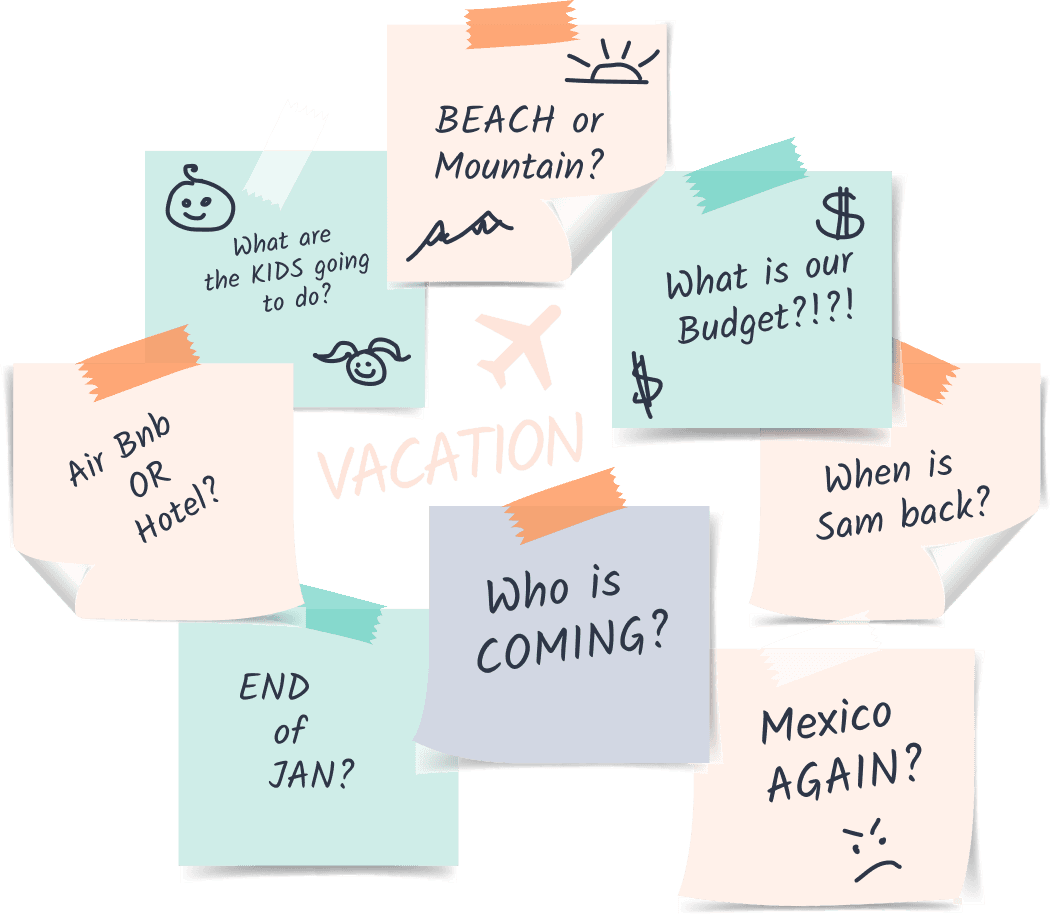
Group trip planning is fragmented and time-consuming. Organizers often take on the bulk of the work, navigating multiple platforms to balance budgets, preferences, and availability. Plans are constantly revisited, decisions are hard to align on, and what should feel exciting quickly becomes overwhelming.
Solution:
Travel Babble supports a more flexible and collaborative planning process. Users can start with partial preferences and explore options through AI-assisted suggestions, then adjust plans through a conversational interface. Shareable trip snapshots help communicate ideas clearly, making it easier for groups to align and move forward with confidence.
Our Values
To revolutionize group travel planning by:
• Innovation: Pushing boundaries for better solutions.
• Collaboration: Fostering teamwork and partnerships.
• User Delight: Sparking joy and excitement for travel.
01
Empathize
User Interviews
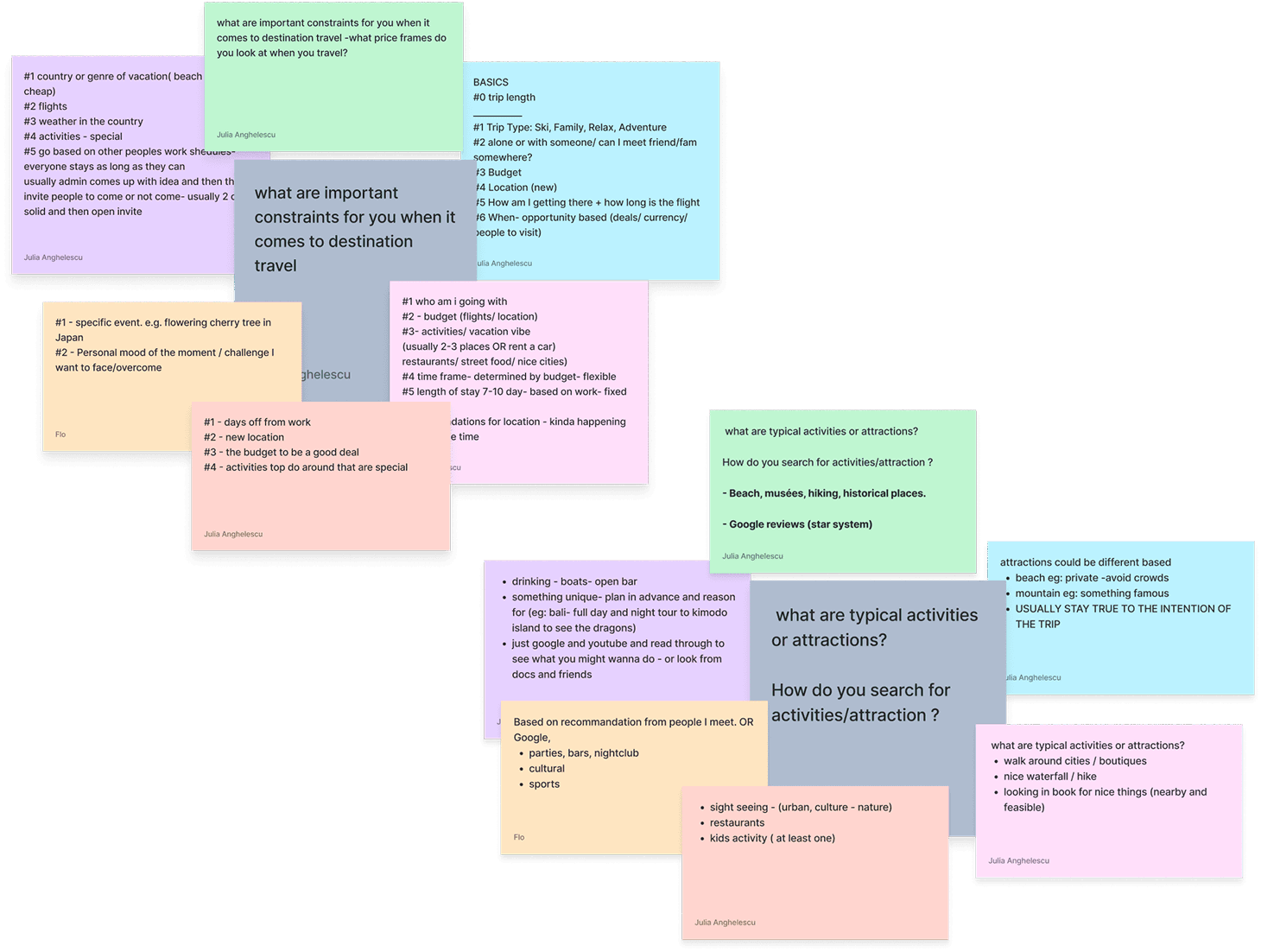
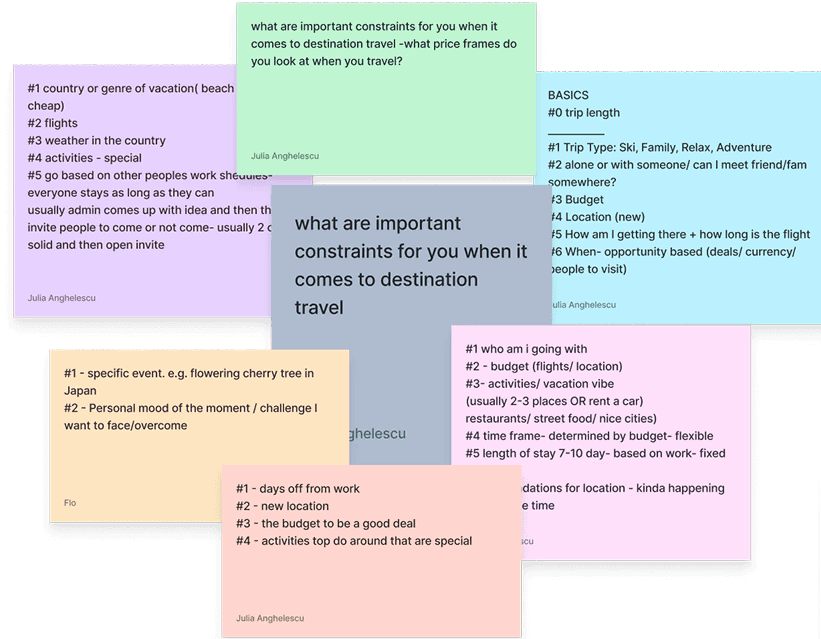
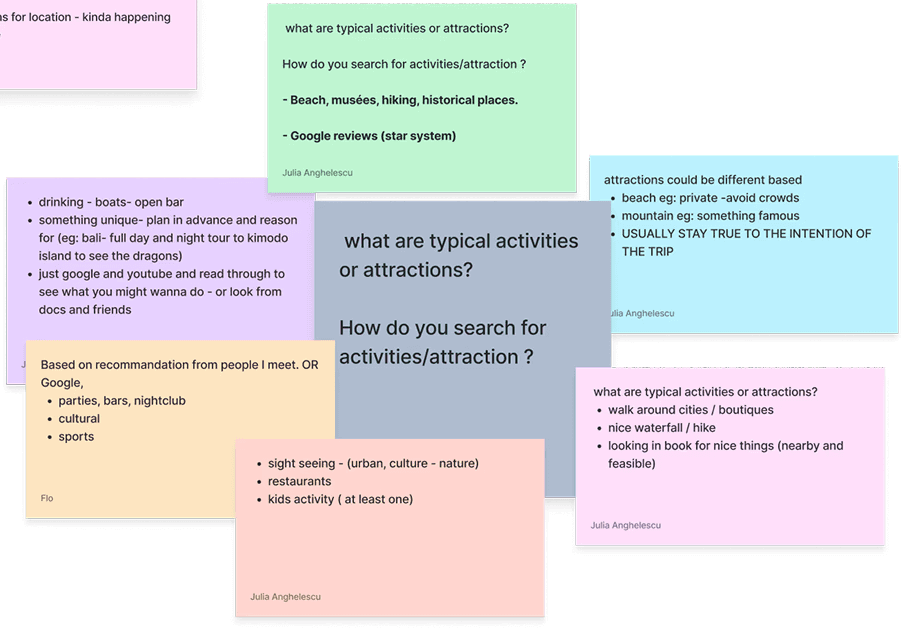
We conducted 8 user interviews to better understand how people approach group trip planning. Most participants identified themselves as organizers, often taking on the responsibility of researching, coordinating, and making final decisions for the group.
Through interviews and journey mapping, we found that travel planning is highly iterative and cognitively demanding. Because of the financial investment, users continuously revisit decisions across destinations, budgets, and logistics before committing.
Despite similar goals, organizers approach planning differently. Some begin with a destination or vibe in mind, while others are constrained by budget, availability, or group dynamics. Regardless of approach, a consistent need emerged: the ability to clearly communicate trip options and gauge interest before booking.
“I have organized ALL the trips between families over the last few years. I know that at the end I need to give them 2 or max 3 options. It is difficult to show them what the trip will look like”
Quote
“I am always the organizer of trips. I always look at special details for trips like activities for kids, budget of people I am traveling with, expectations families will have for accommodations...”
Quote
“When I plan a trip I look at multiple factors at the same time (flights, budget, what we want to do). The process can be time consuming and annoying. I edit my trips so many times”
Competitive Analysis
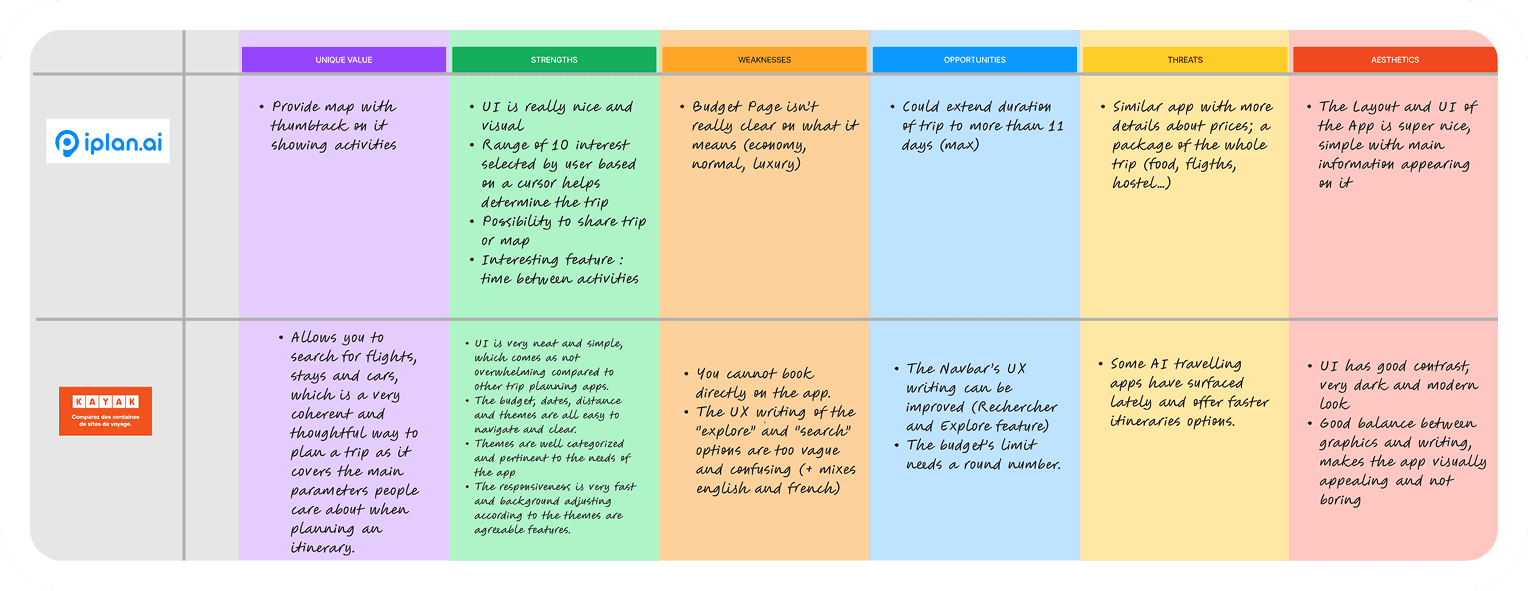
To better understand the current landscape, we analyzed 8 travel platforms, focusing on both traditional booking tools and emerging AI-driven solutions. This helped us identify what works well today and where gaps exist.
Classic travel apps
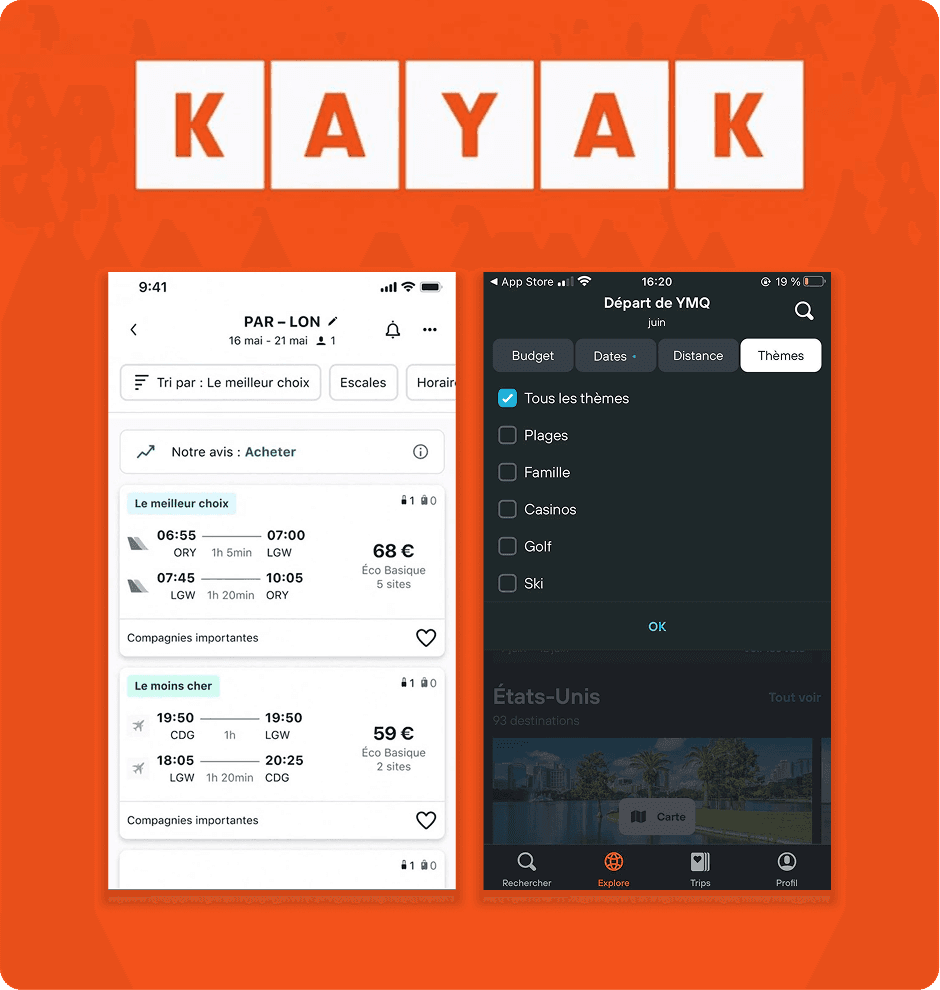
We looked at "classic travel apps," and among them, Kayak stood out as the top performer. Its wide range of trip filtering options and recommendations for flights, accommodations, and car rentals proved to be essential features in travel planning.
Strengths:
• Very budget conscious & clear communication.
• Important factors are present: budget, dates distance and trip type.
Weaknesses:
• Cannot book directly through the app.
• Themes (similar to vibe in our app) does not represent common vacation categories.
AI-powered travel tools
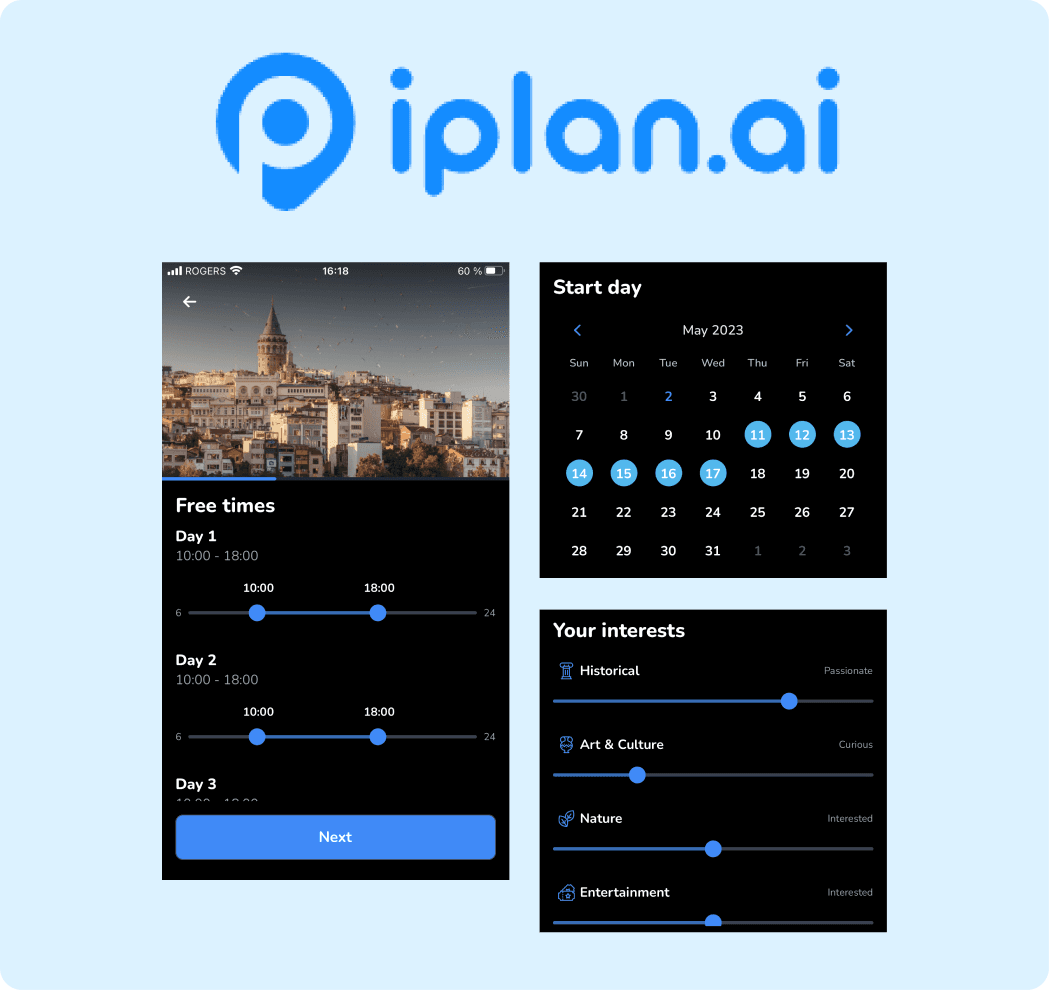
We recognize the growing role of artificial intelligence in travel apps, we explored various options to assess their impact on trip planning. Among them, iplan.ai emerged as the most promising candidate, thanks to its advanced filters and impressive ability to generate personalized trip recommendations.
Strengths:
• Has all the important factors: days, time frame, who, interests and budget.
• Allows you to share the tip & all details.
Weaknesses:
• Forces users to fill out ALL details prior to planning a trip (like free time for each day), but that is asking too much.
• Very strict schedule which seems counter intuitive.
What we learned
Existing tools are effective at execution but fall short in the messy, early stages of planning. They either overwhelm users with required inputs or fail to support the collaborative and iterative nature of group decision-making.
02
Define
Understanding Planning Friction
In the Define phase, we synthesized our research findings into a clearer understanding of the challenges behind group travel planning. While users had different priorities, a common pattern emerged: planning trips is rarely linear. Organizers constantly balance evolving constraints, group expectations, budgets, and logistics while trying to keep the process collaborative and enjoyable.
Our challenge became designing a system that reduced planning friction without removing flexibility. We wanted to support the messy early stages of planning, where users may only know a few preferences, while still helping groups move toward confident decisions.
Ease users’ research while planning trips and allow them to share?
Allow users flexibility to input constraints and specific considerations to customize their trip?
Allow users (and potential attendees) to modify trips with natural language and prompts?
03
Ideate
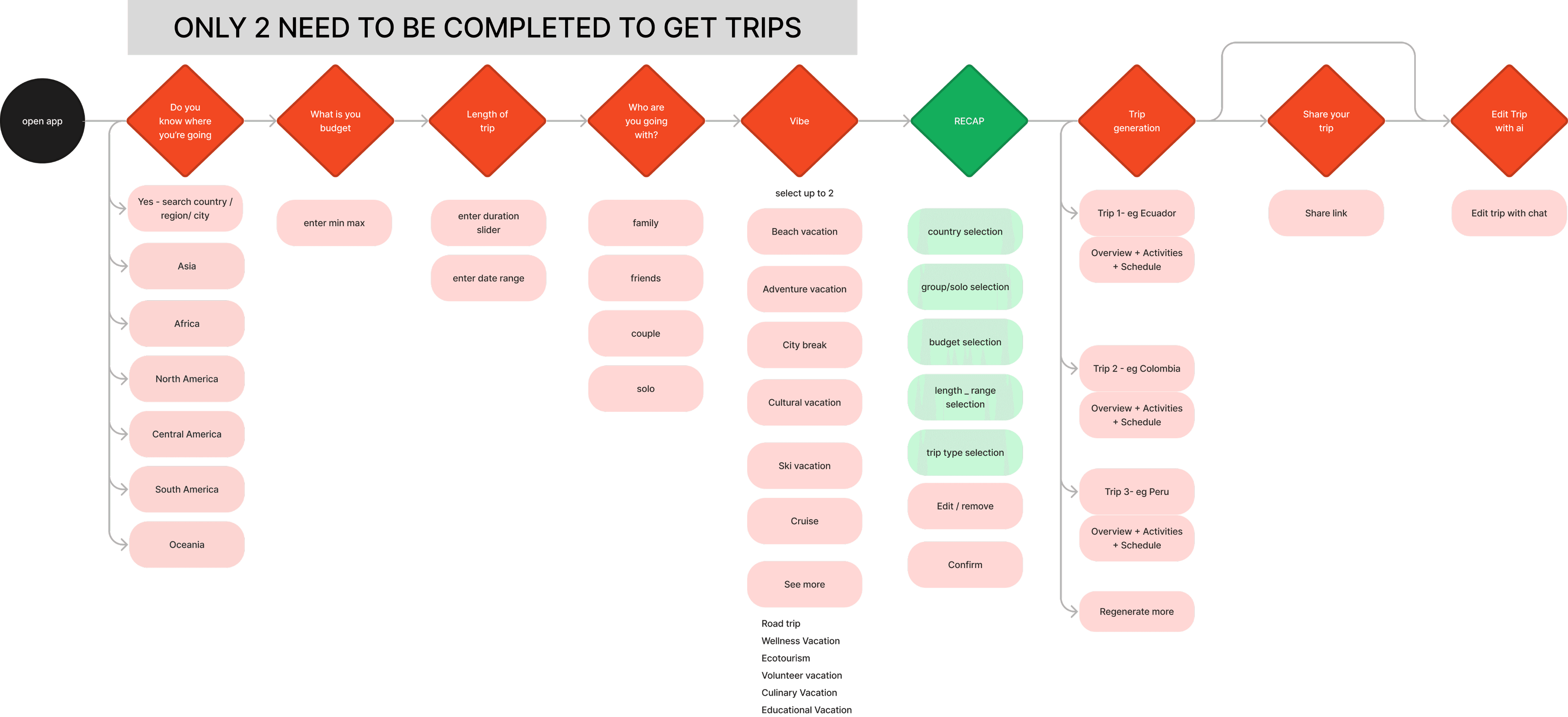
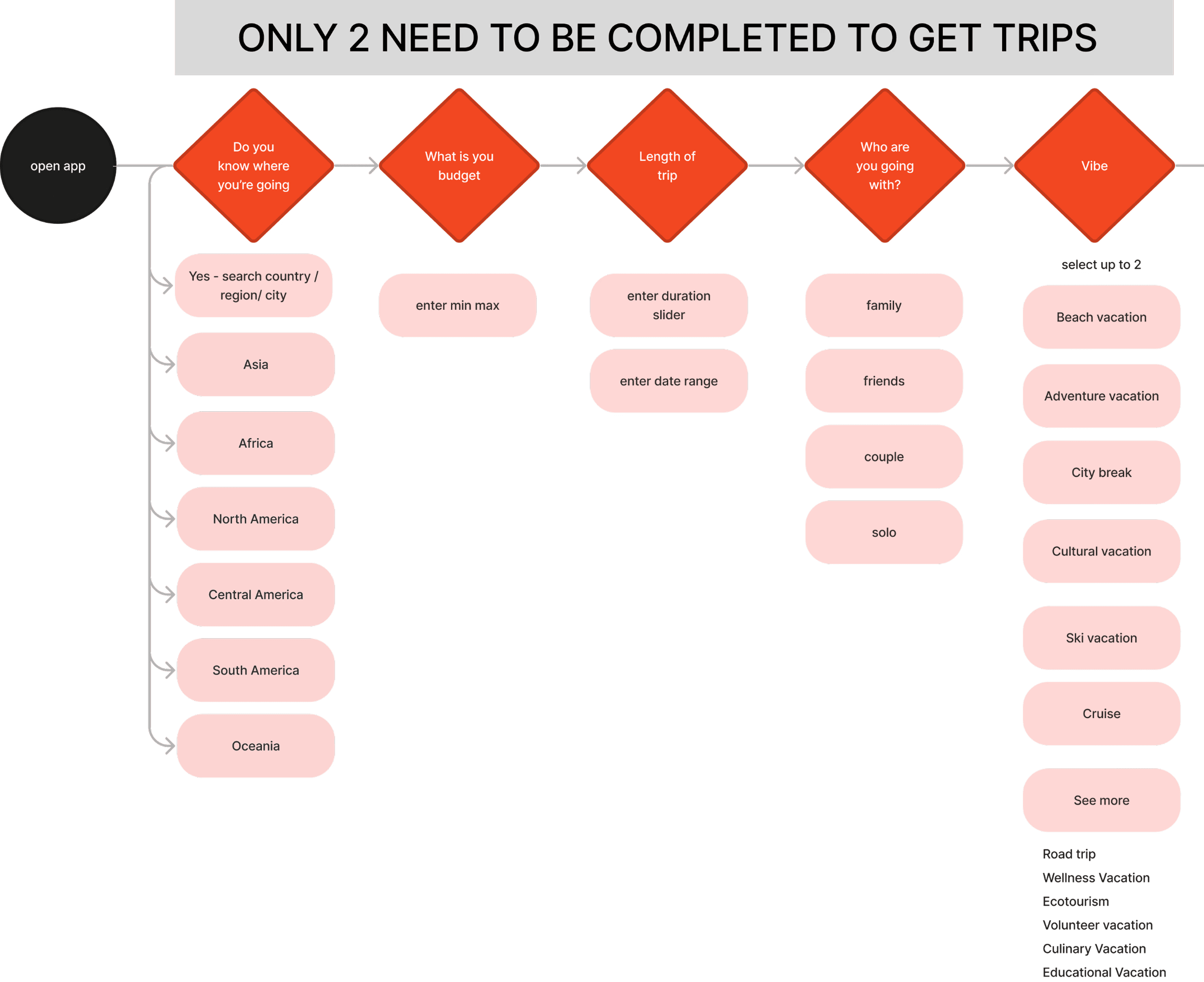
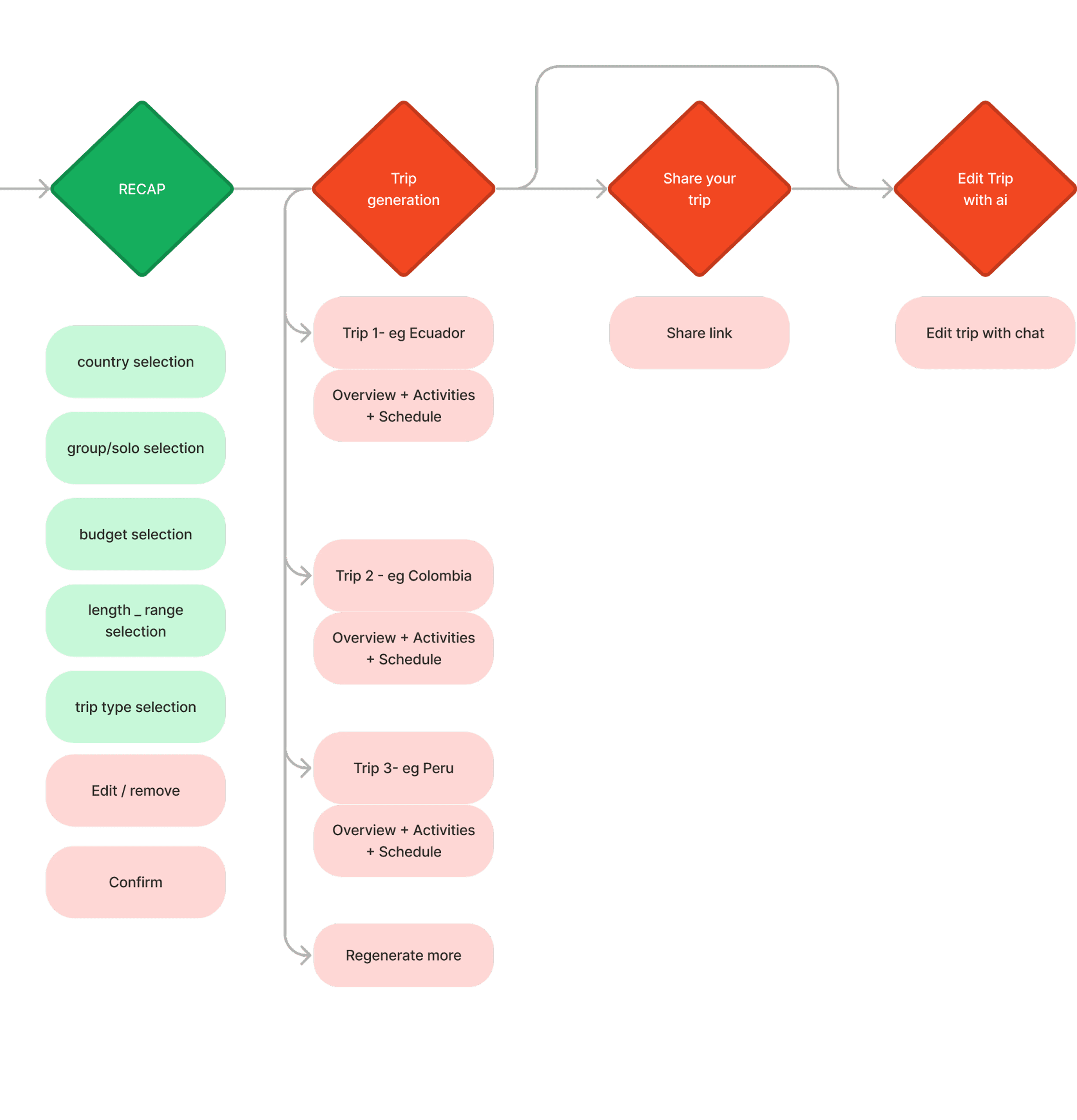
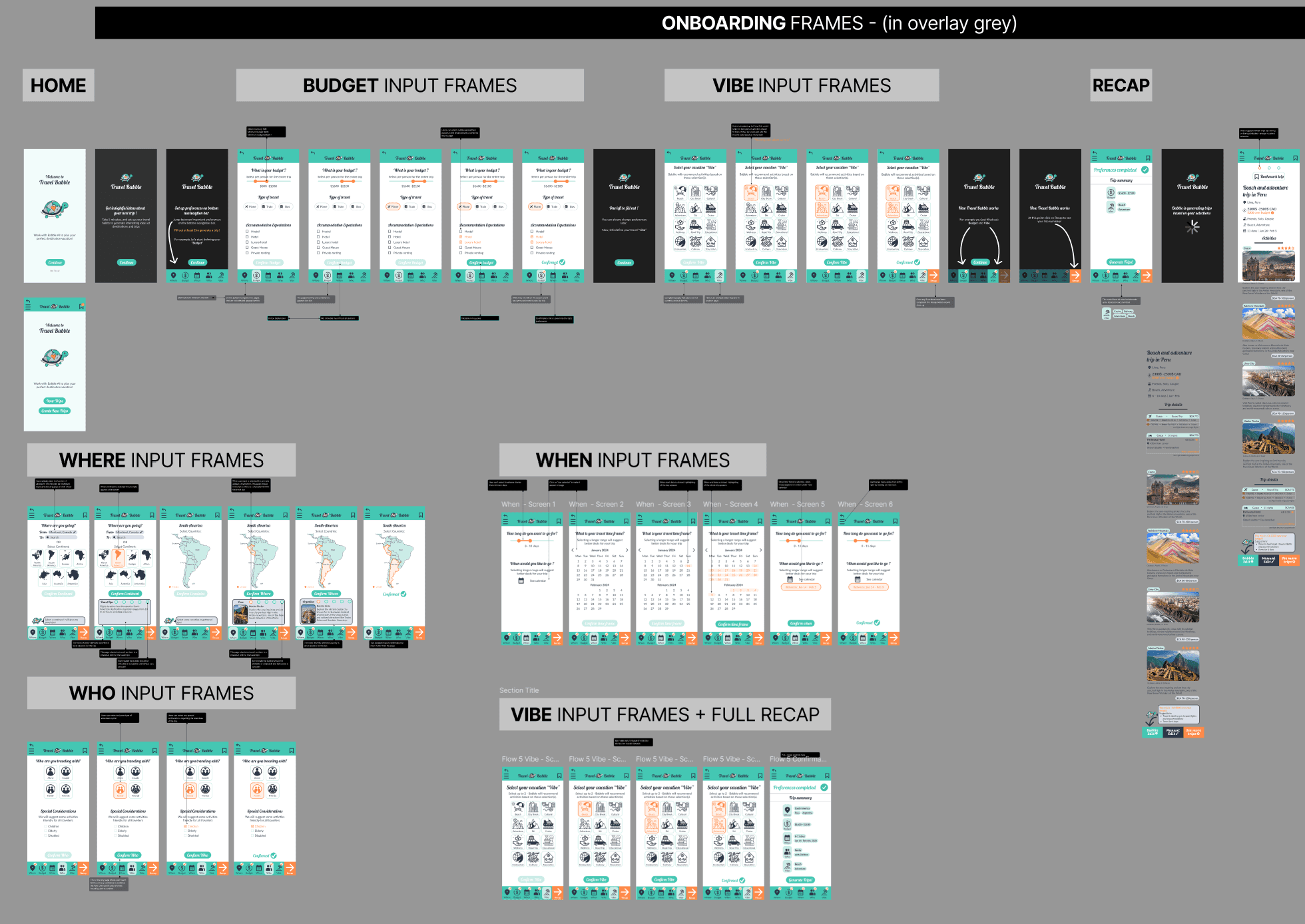
User Flow
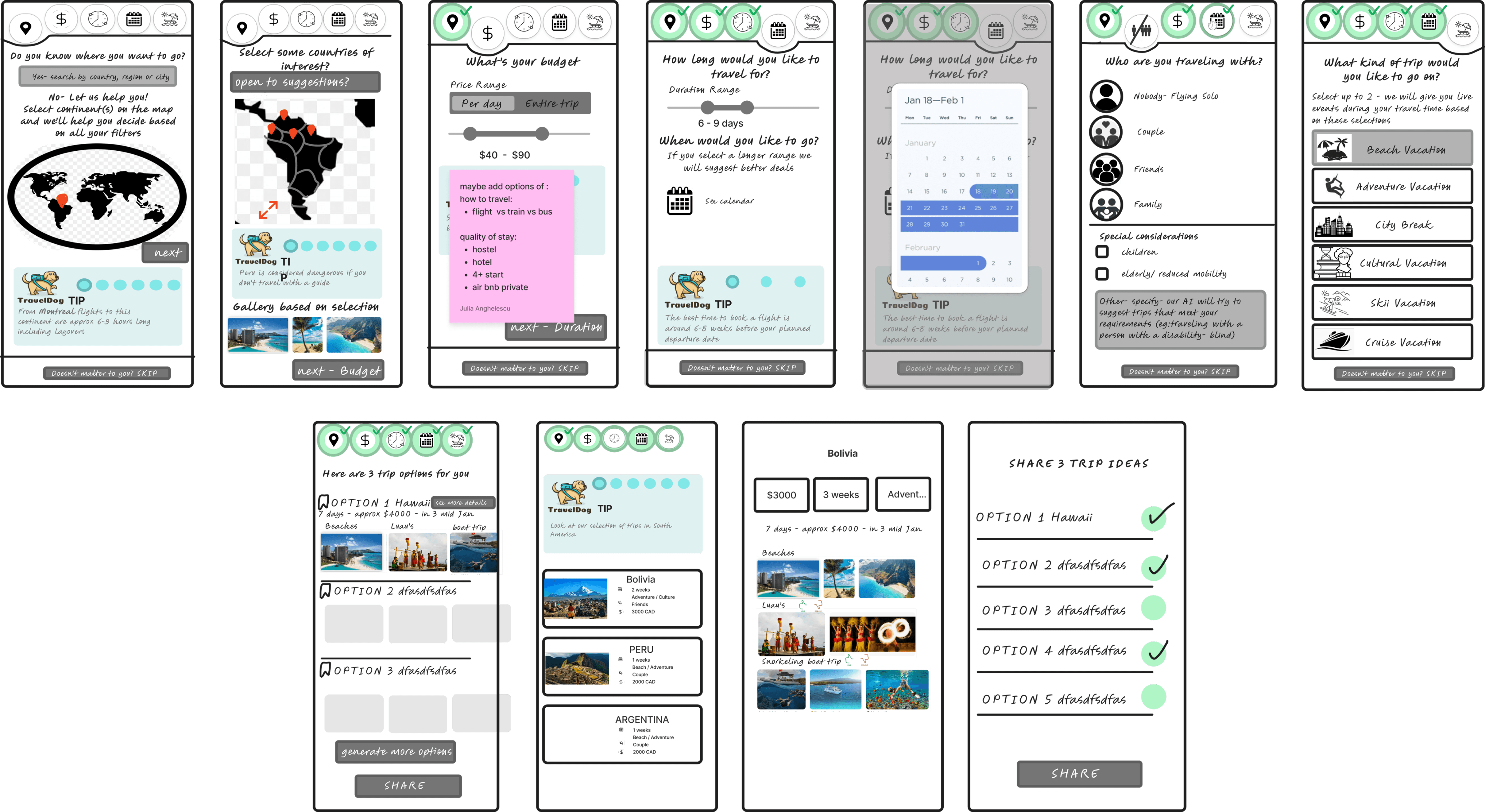
We collaborated on creating a user flow to solve for the problems we defined. Our Team split up the sections we would sketch.
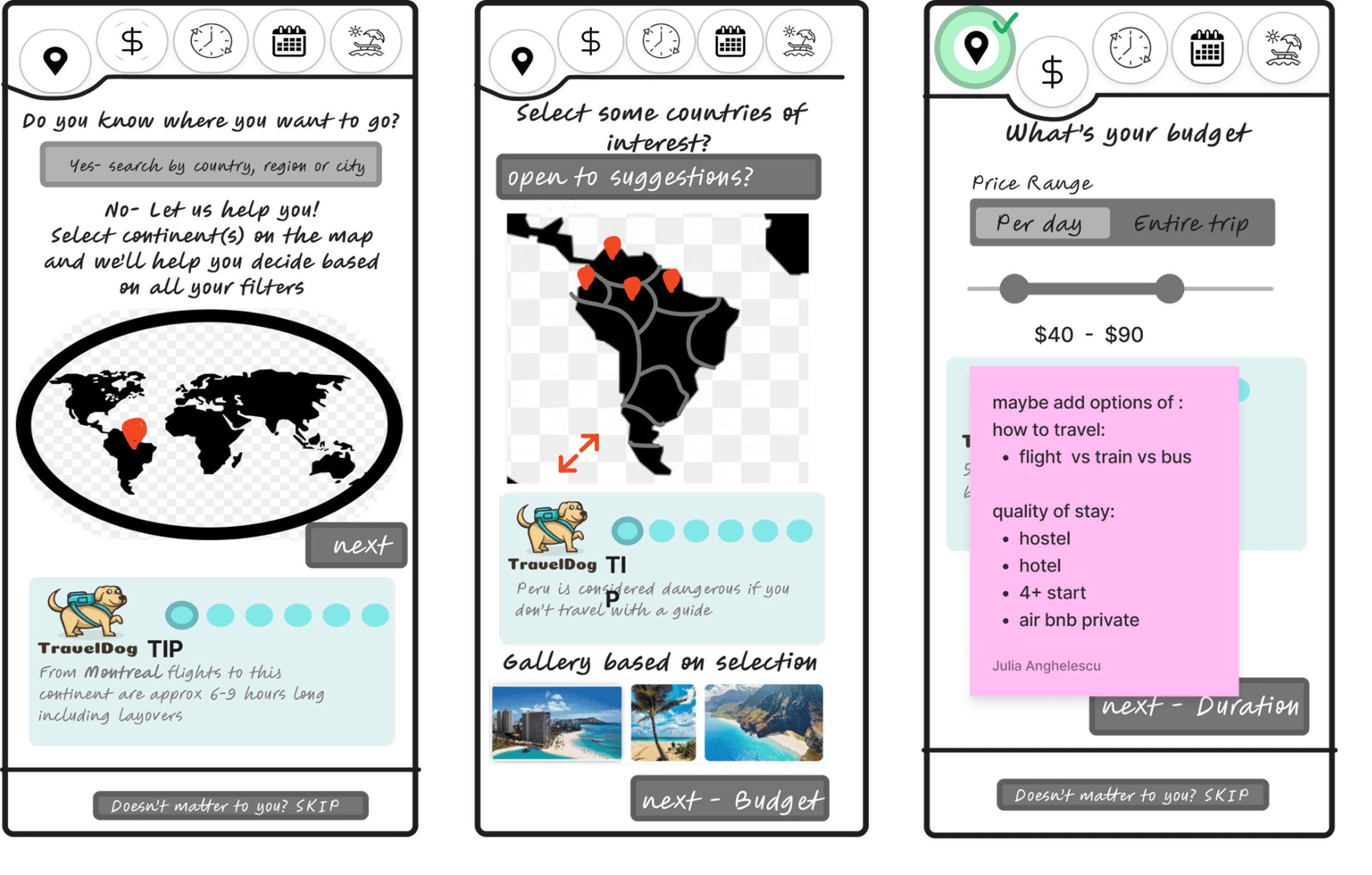
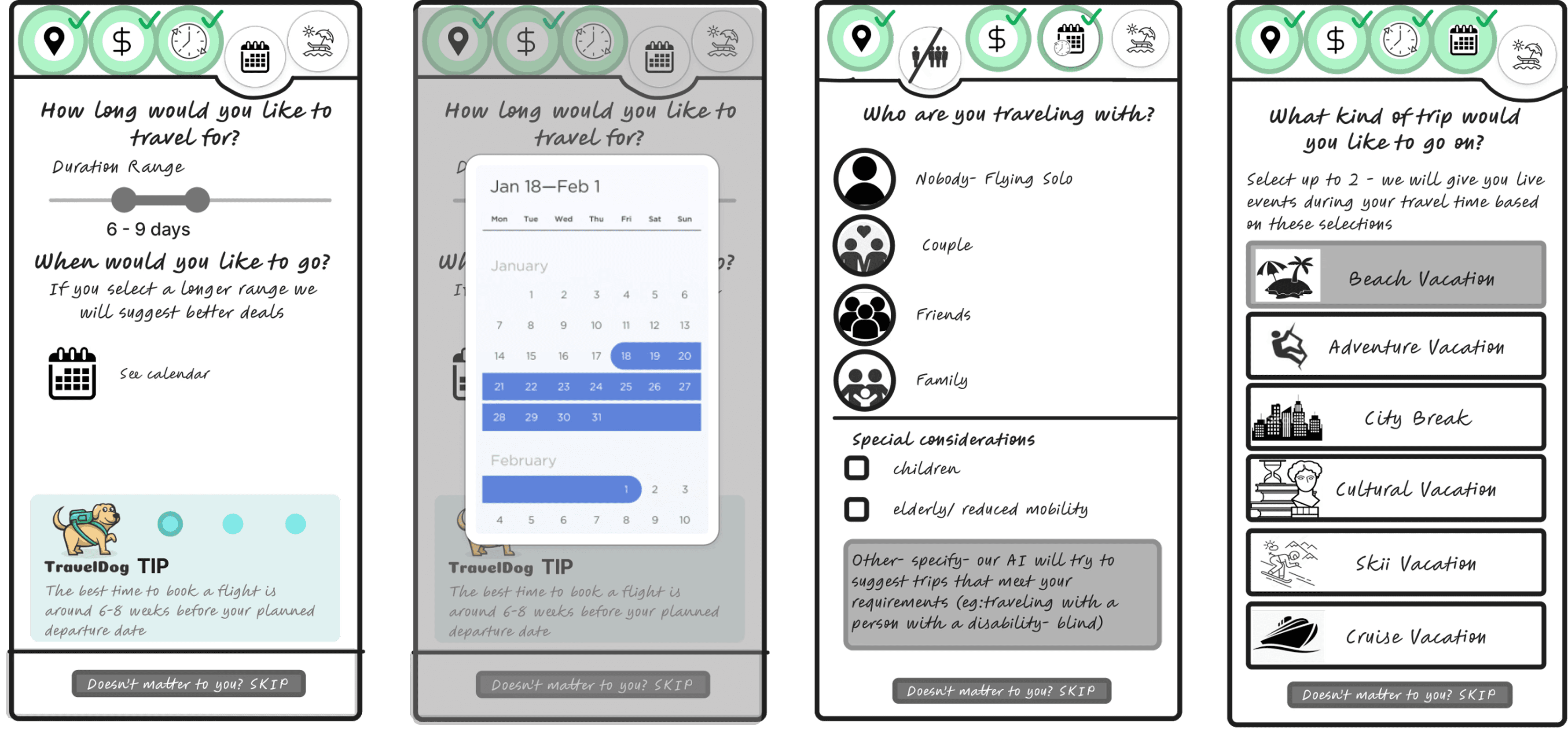
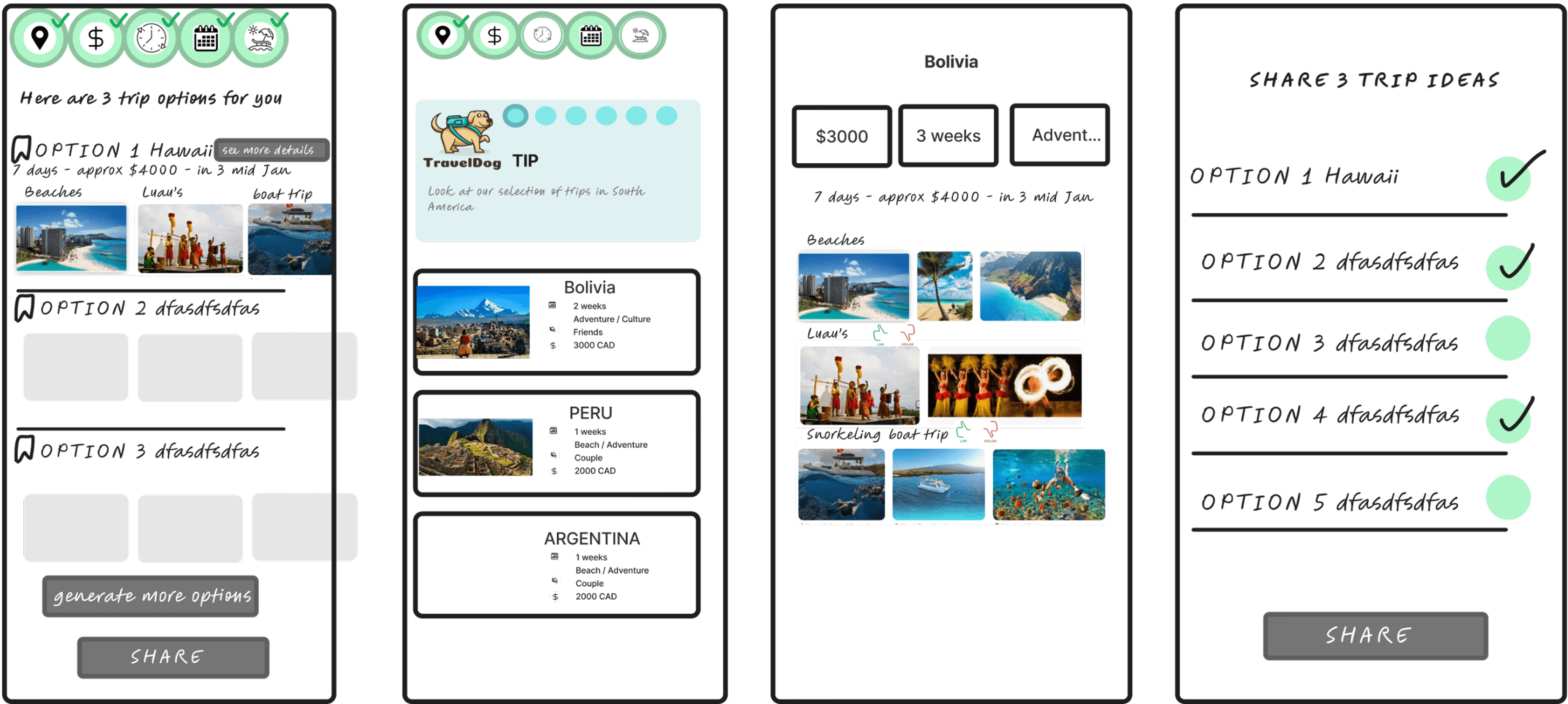
Sketch
We sketched the main frames from our flow and divided the work for prototypes between members.

04
Prototype & Usability Test
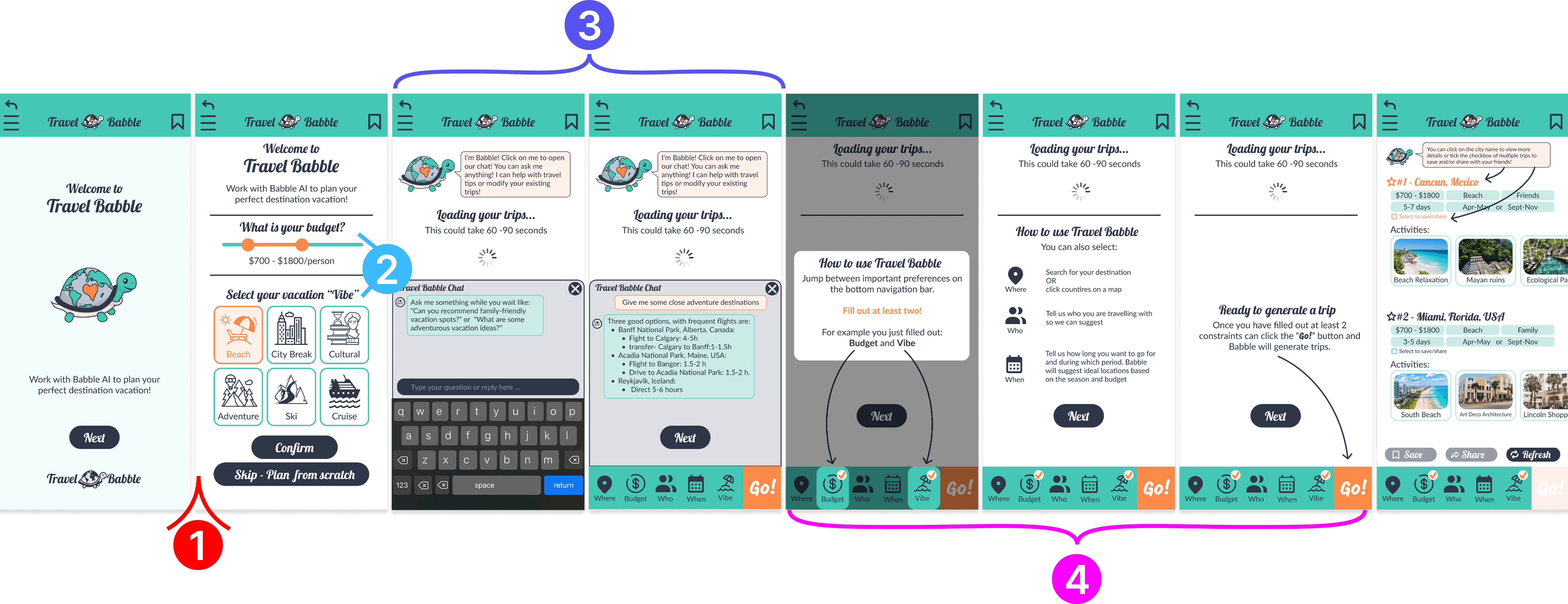
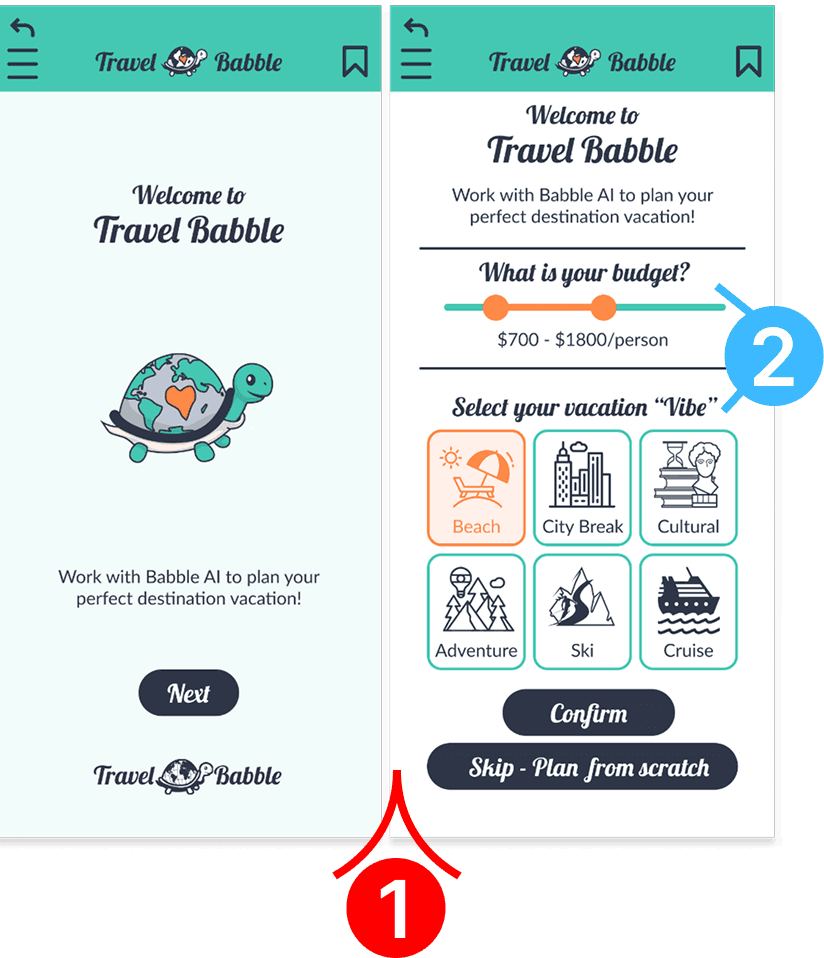
Wireframes for Onboarding
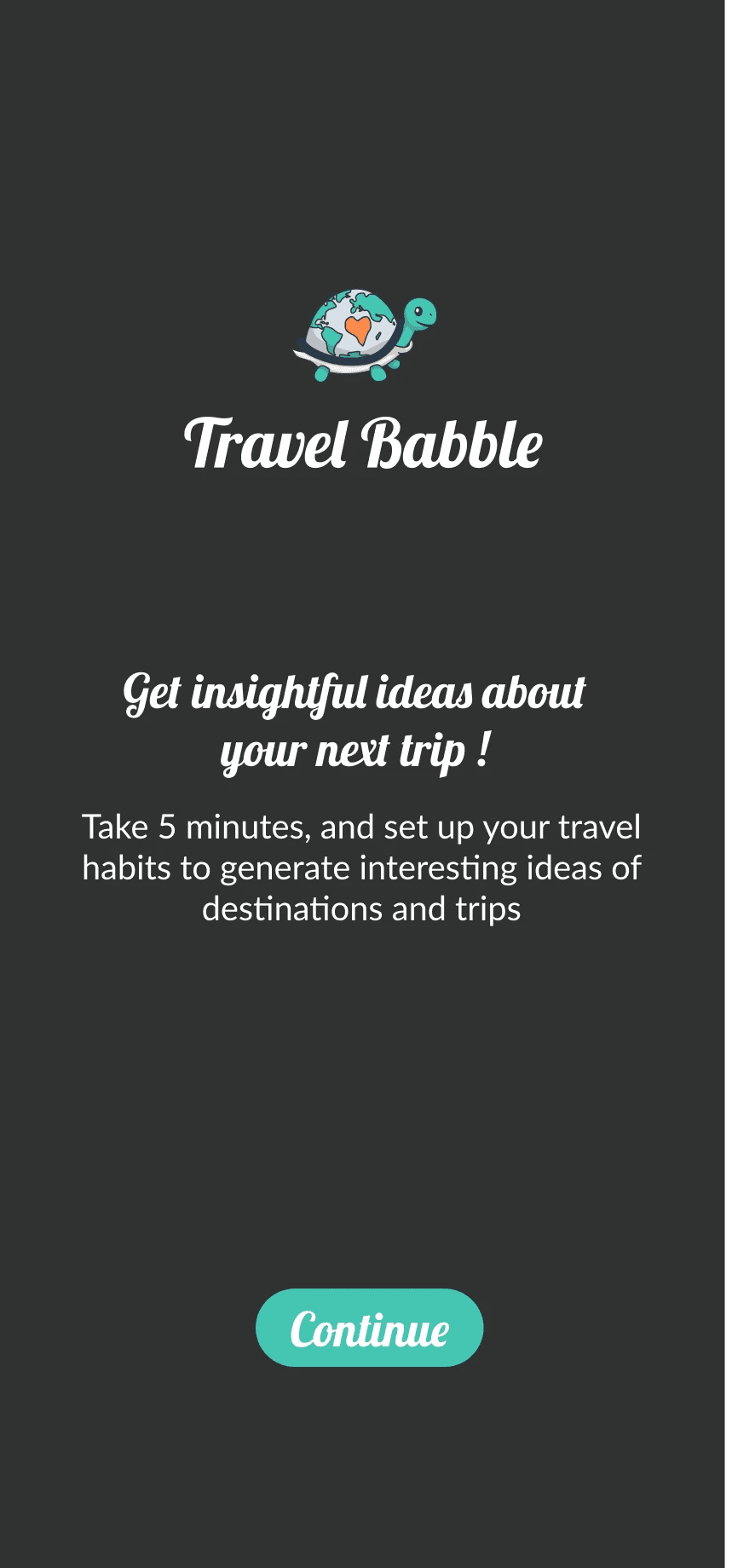
The scope of this project was to create an onboaring for users to help them get started on our app!
Improve Onboarding
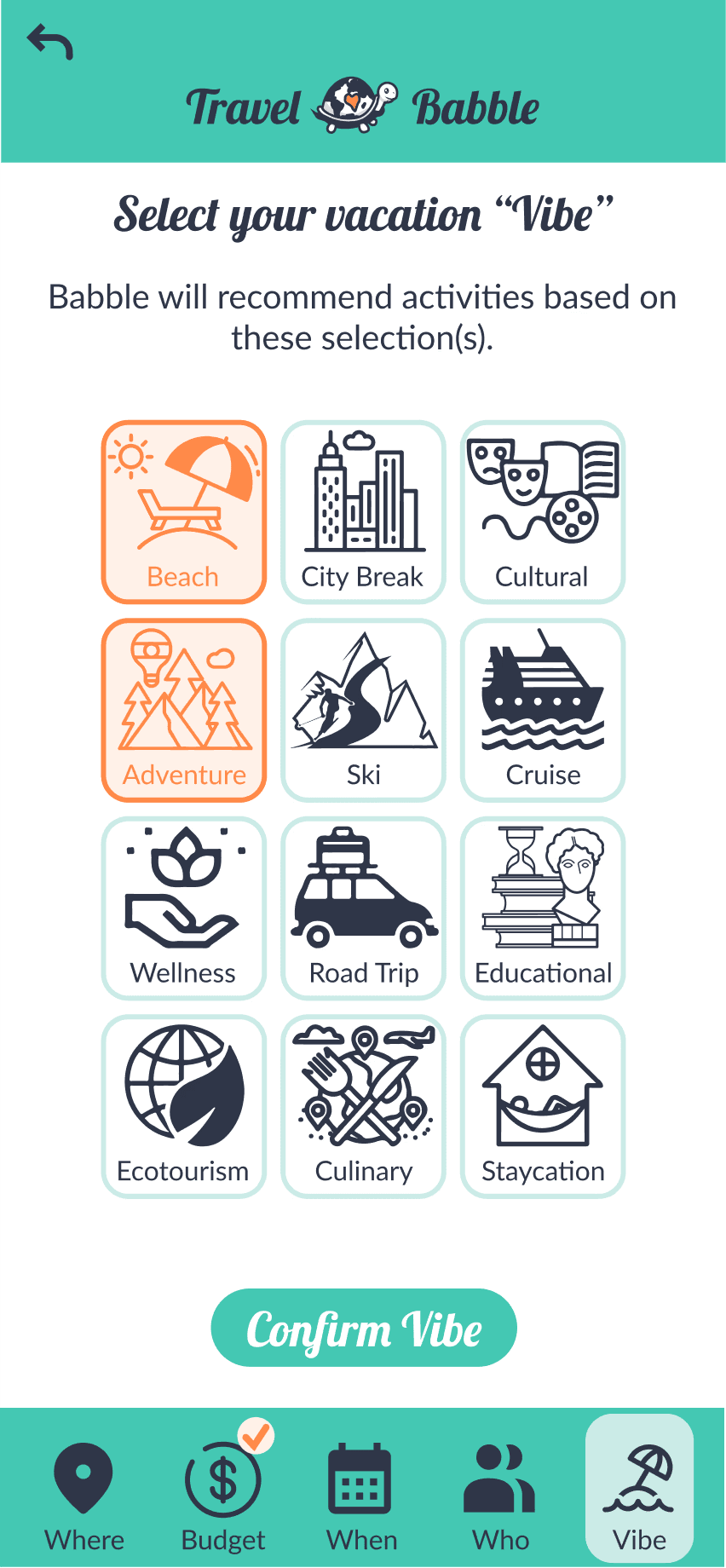
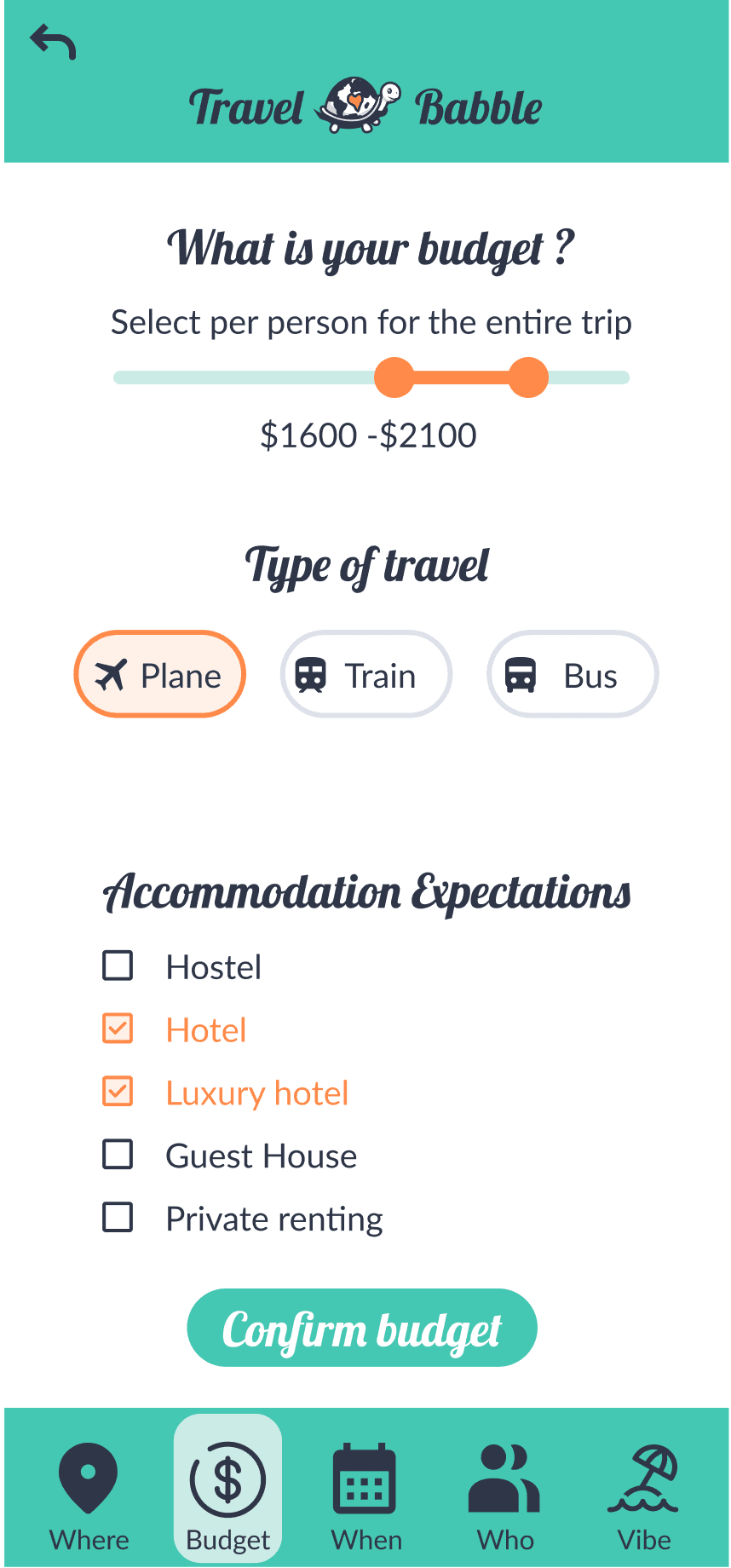
Given our testing we improved some sections of our onboarding:
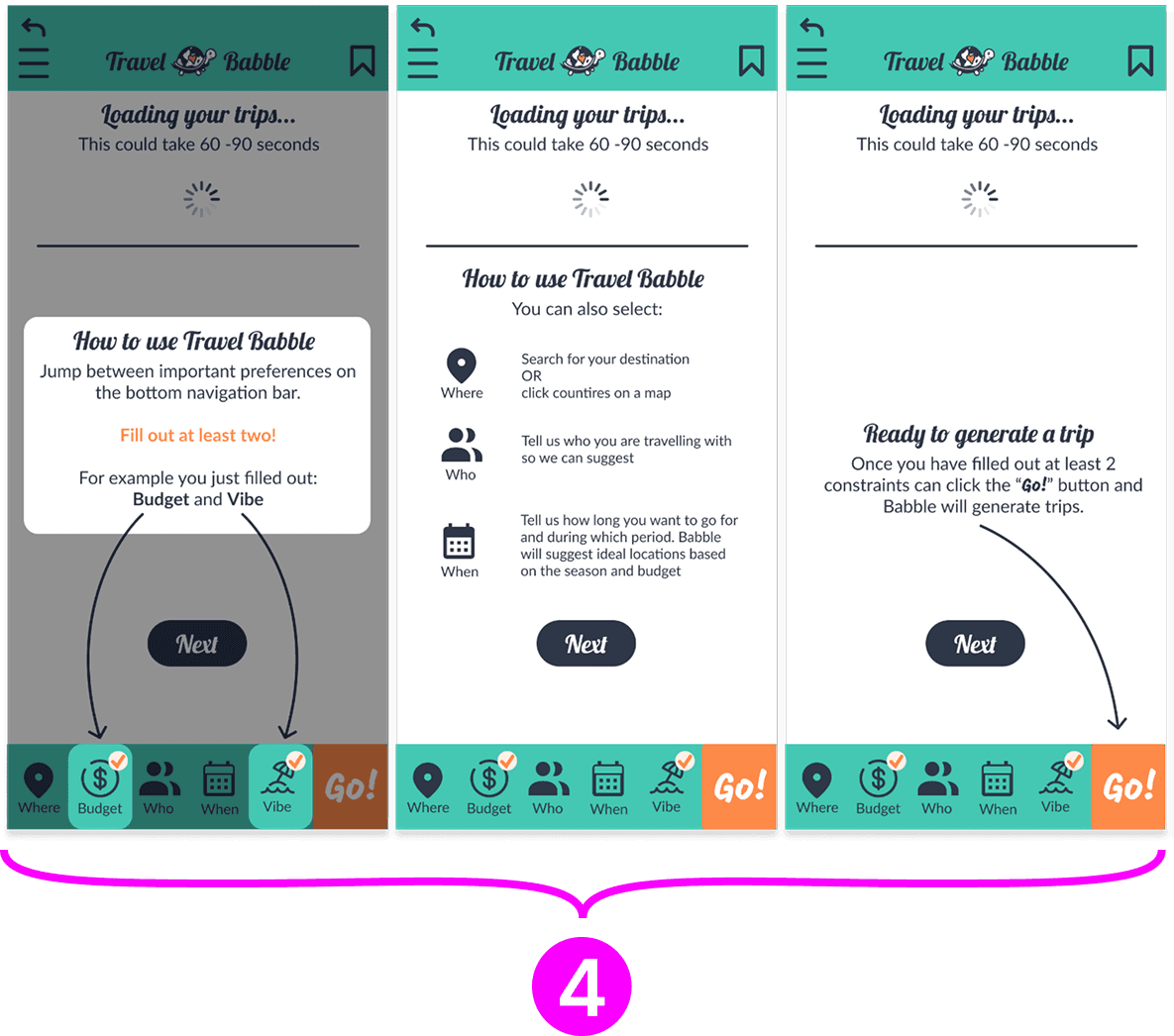
1
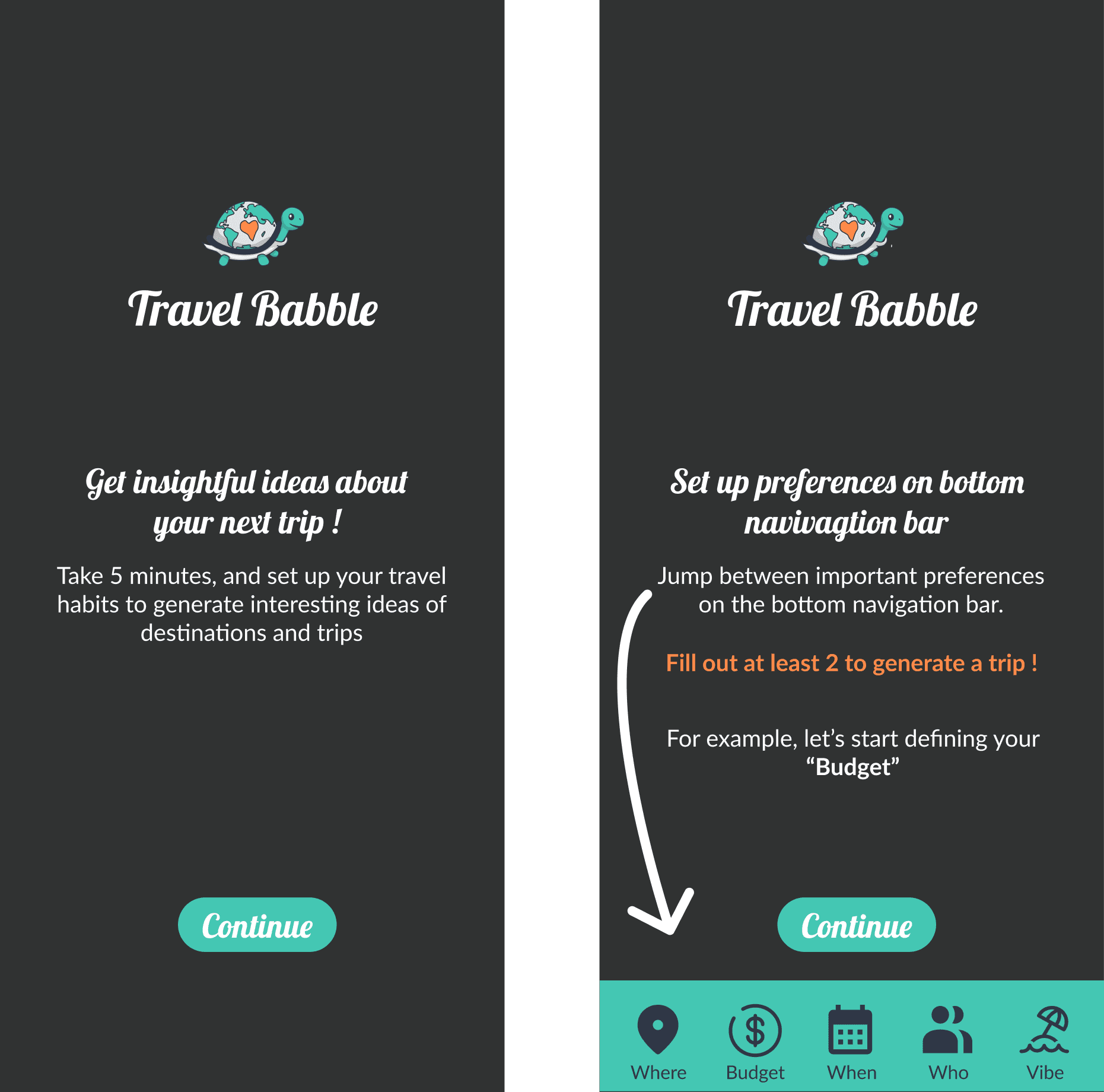
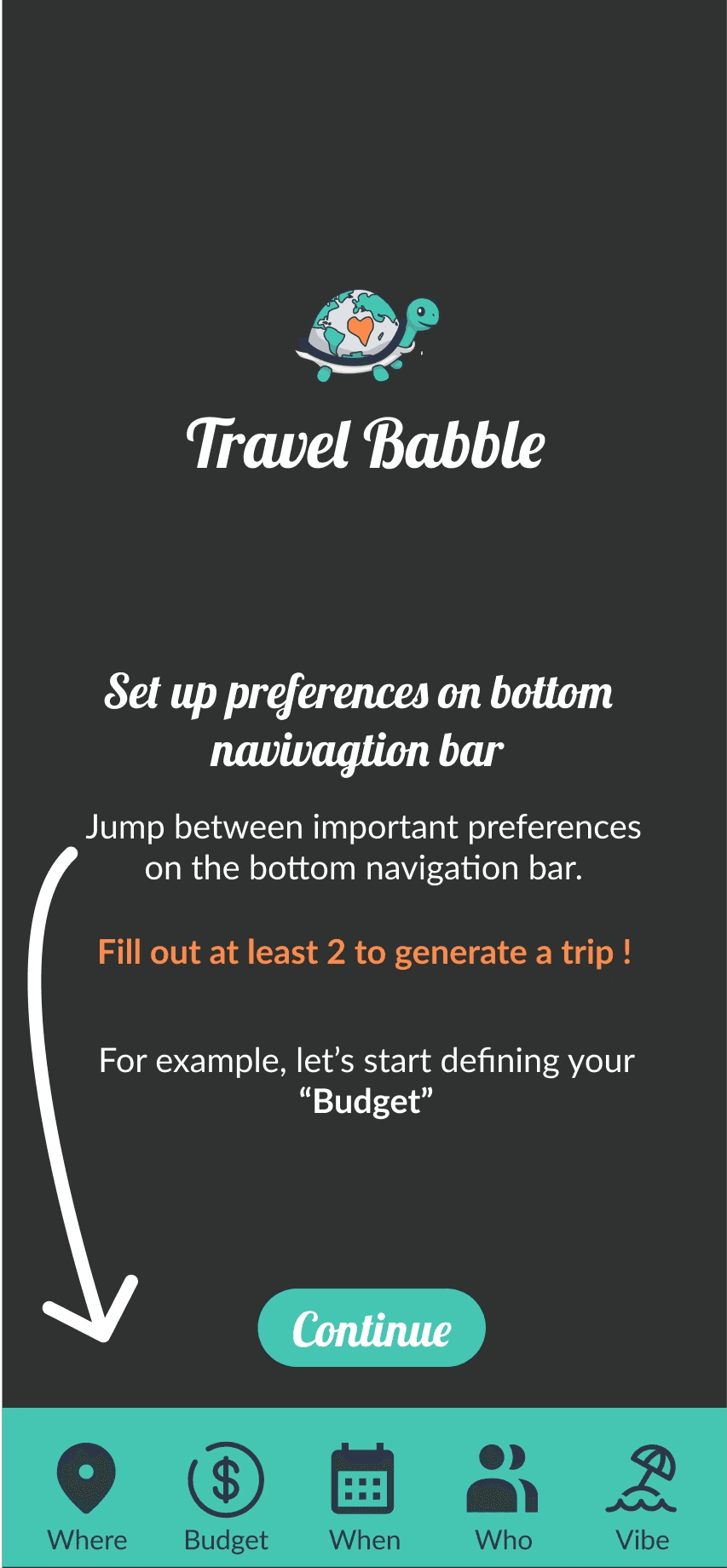
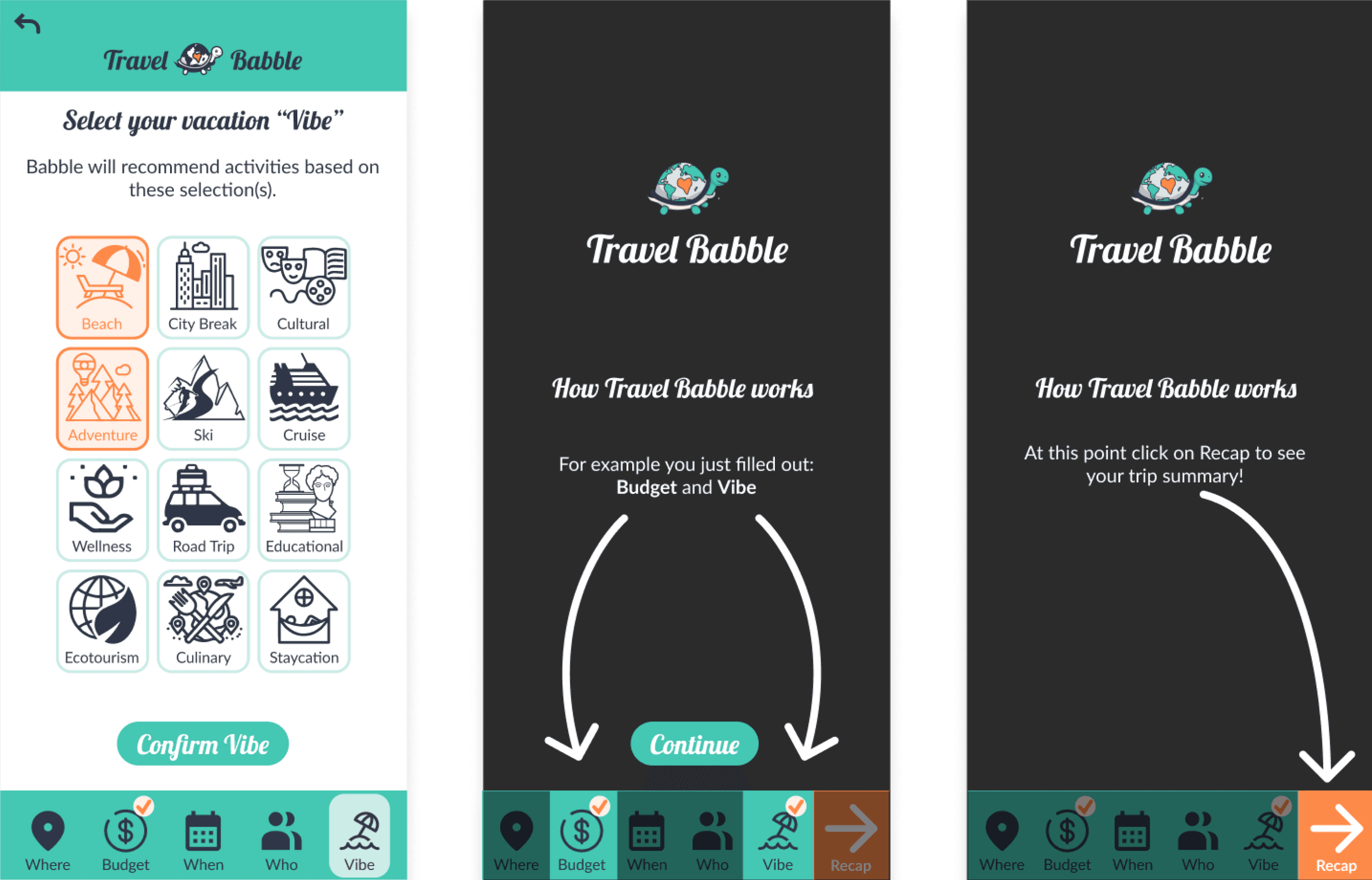
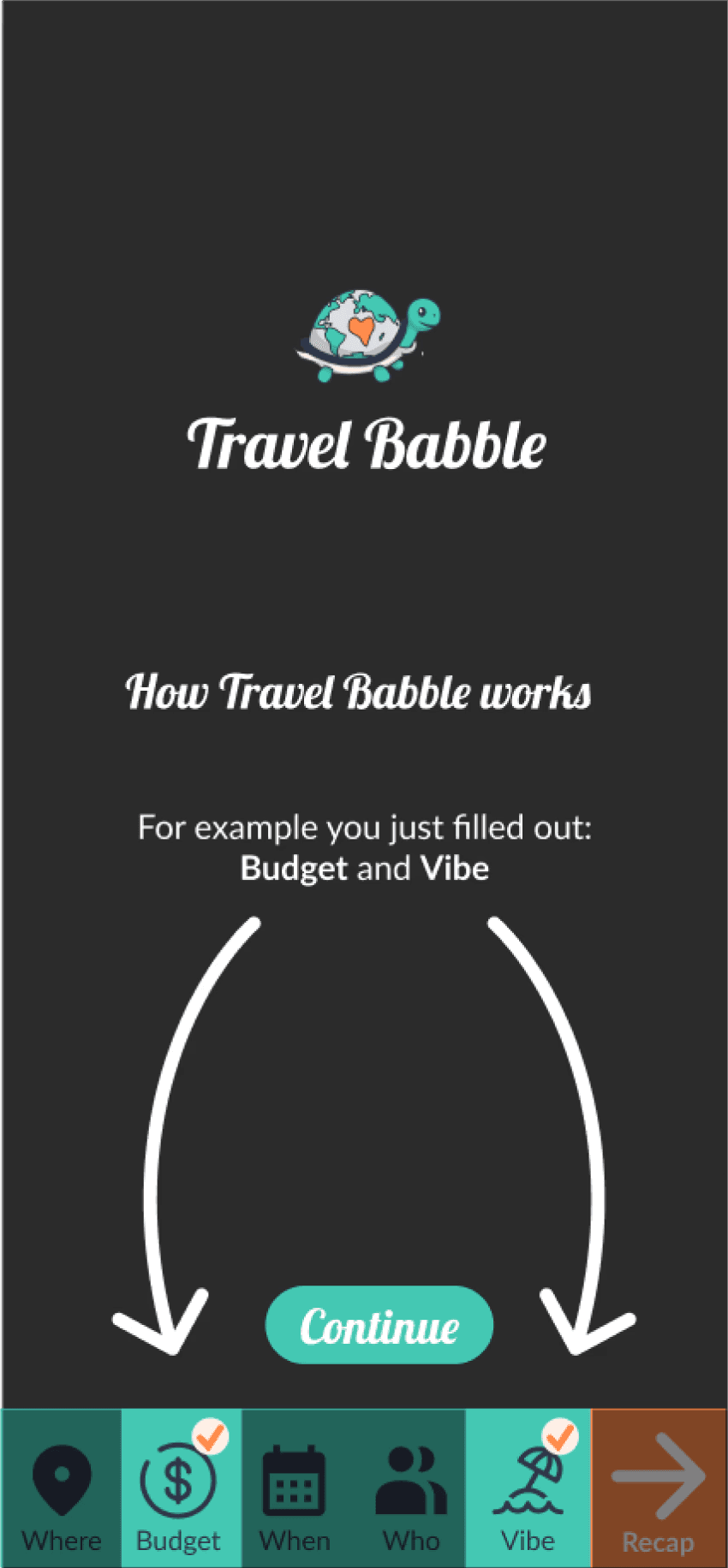
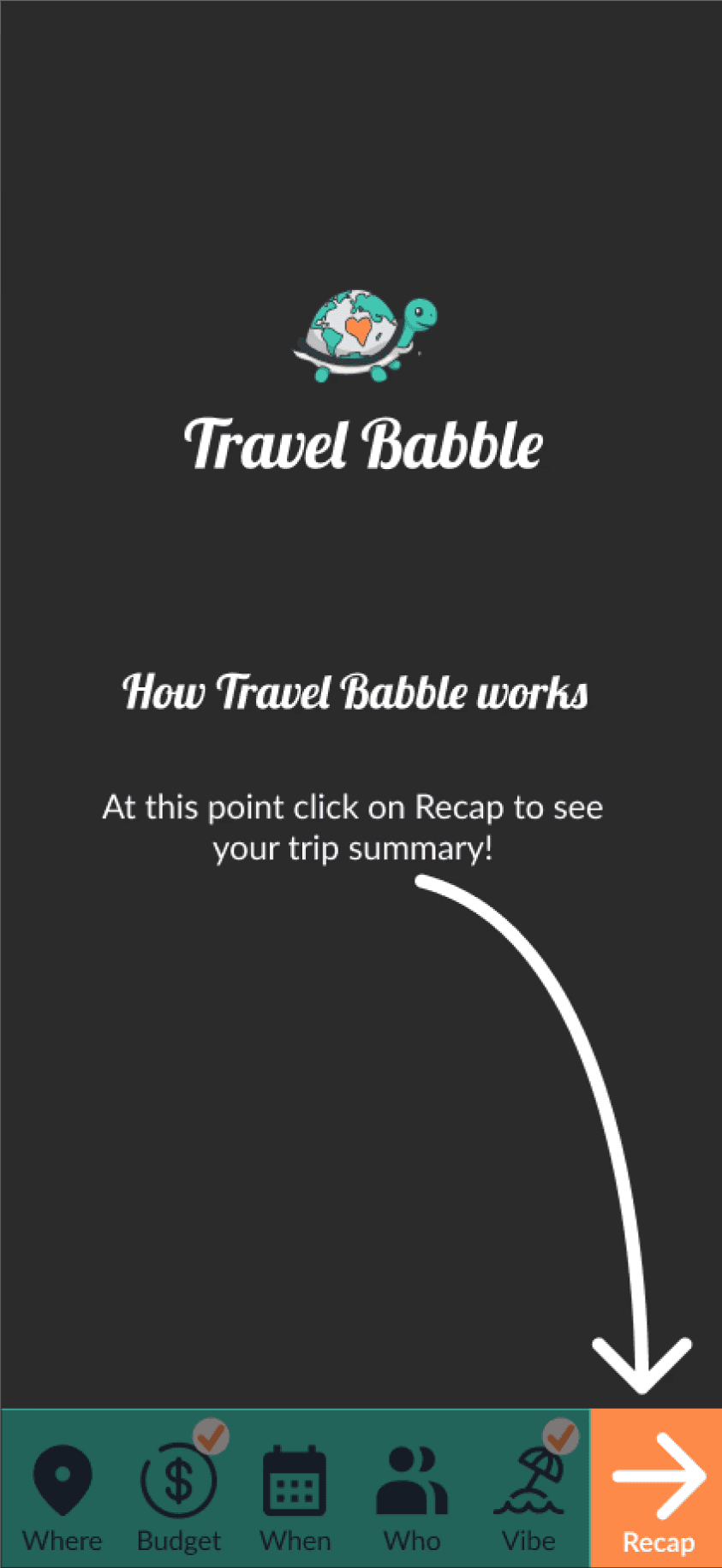
Add Onboarding Frames
Problem: Our users seemed a bit confused without initial onboarding frames
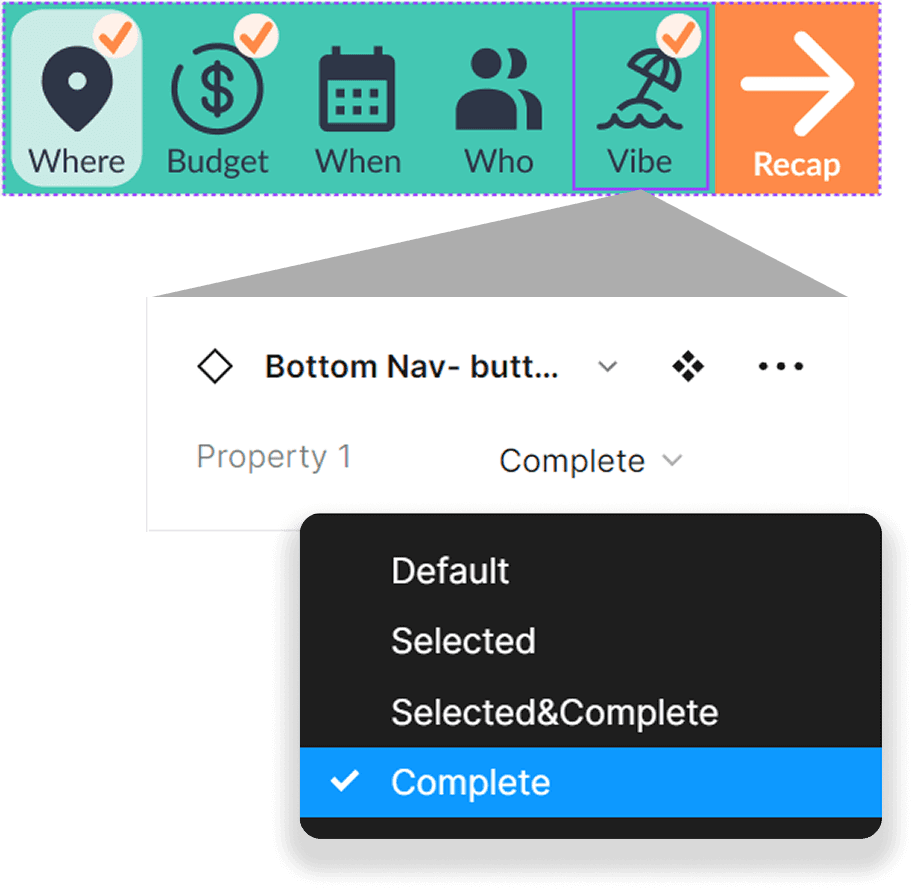
Solution: We added two frames explaining what they need to complete the bottom navigation bar check list.
2
Split these Frames
Problem: We had originally condensed them to get users to see a trip example more quickly.
Solution: During the test we noticed these sections should be split to match the app.
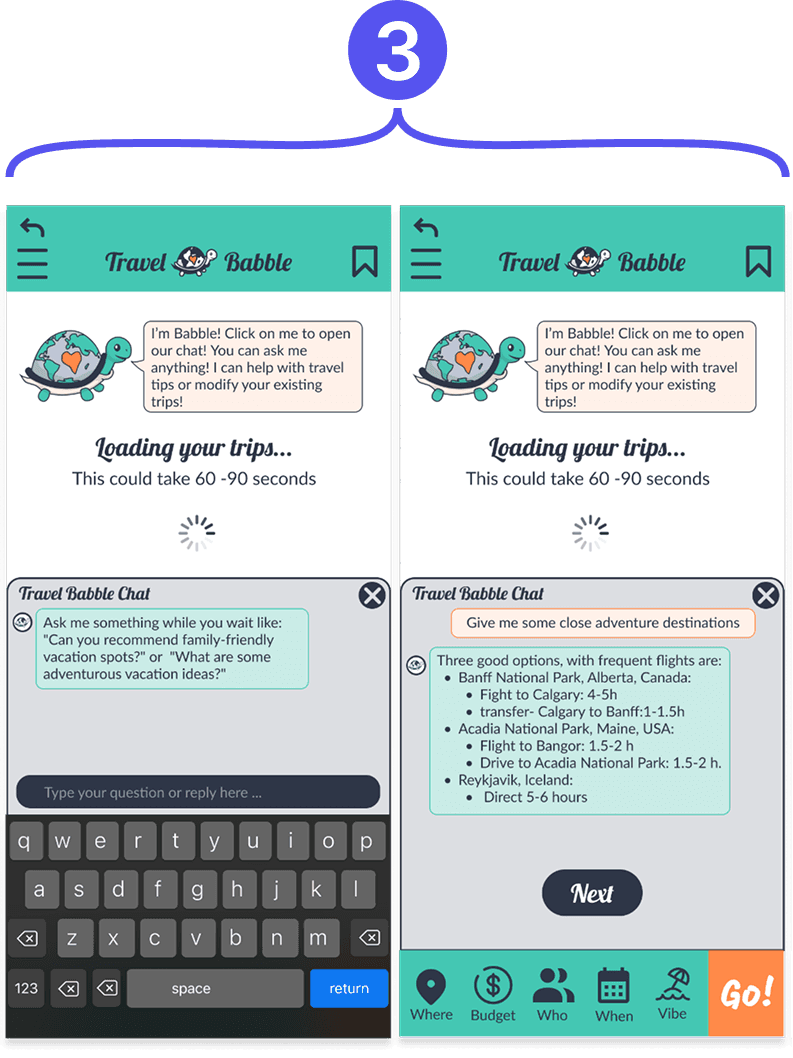
3
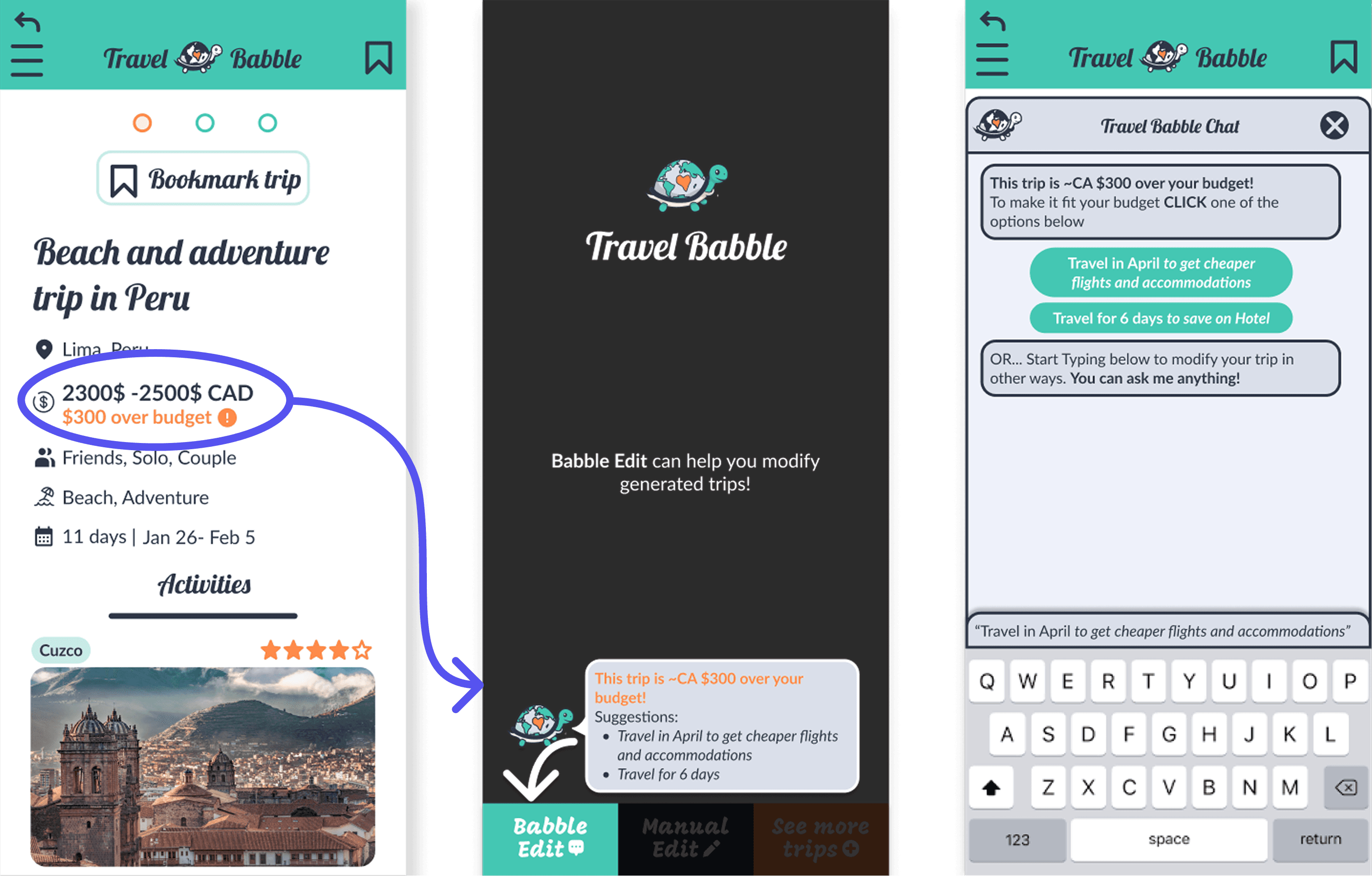
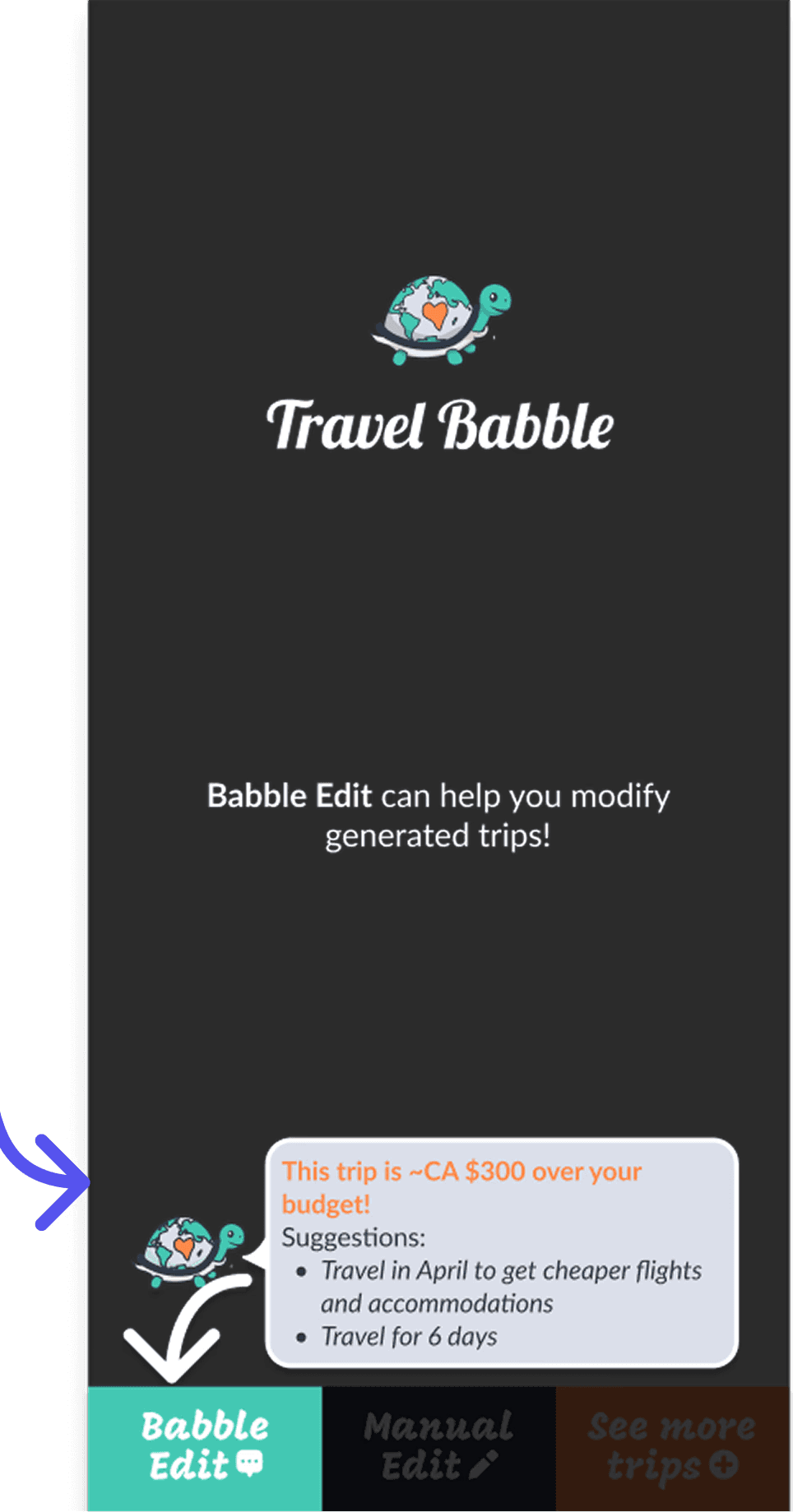
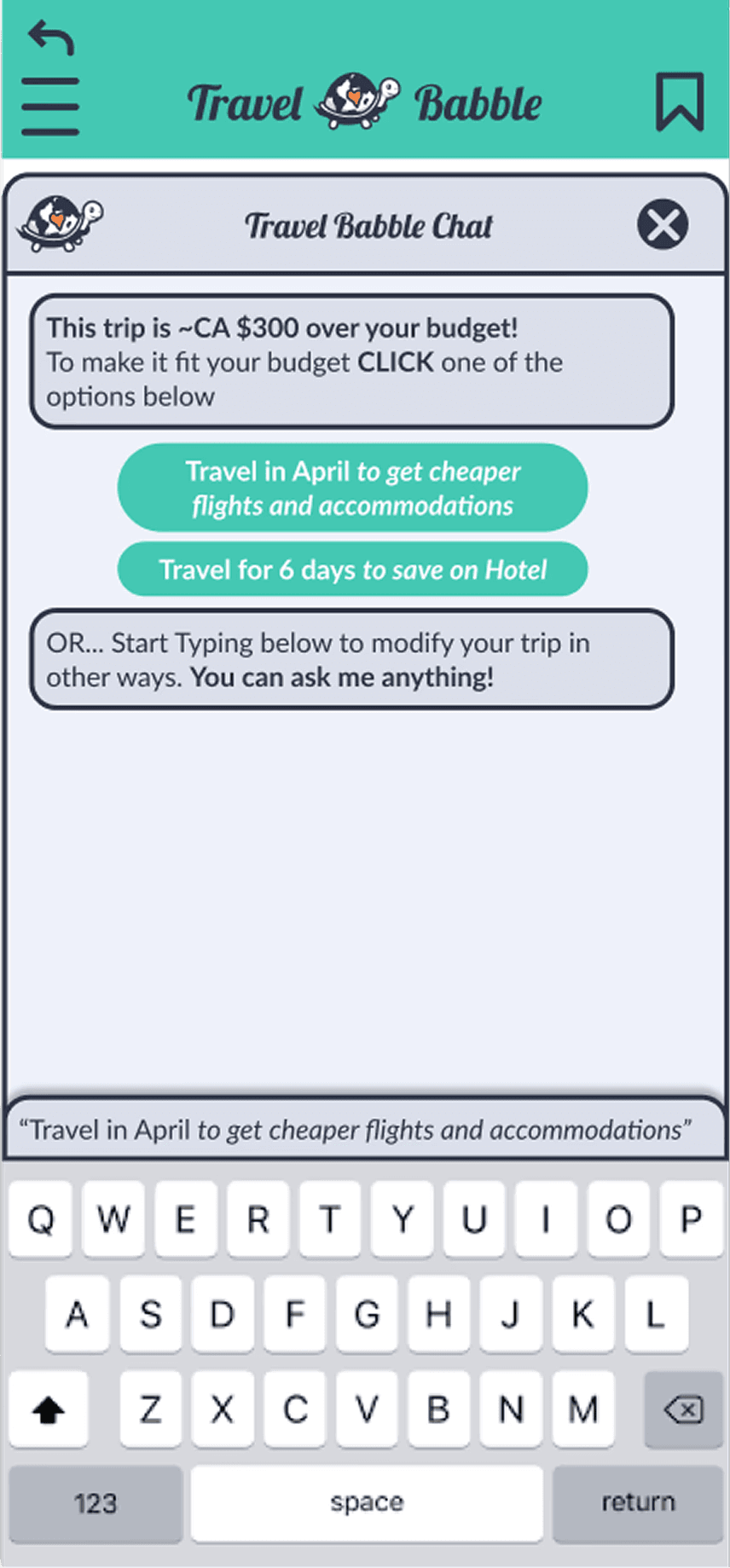
Relocate Babble Chat
Problem: Users love Babble, but on the loading page they were too excited and wanted to explore more. They forgot they were in the middle of waiting for a trip.
Solution: Prompt a requirement for Babble in onboaring so users can test out the chat.
05
Core Product Features
After refining the onboarding experience through usability testing, we focused on strengthening the core planning experience itself. Our final design decisions aimed to reduce planning friction while preserving the flexibility and collaboration users needed throughout the trip planning process.
Plan Around What Matters Most
Problem:
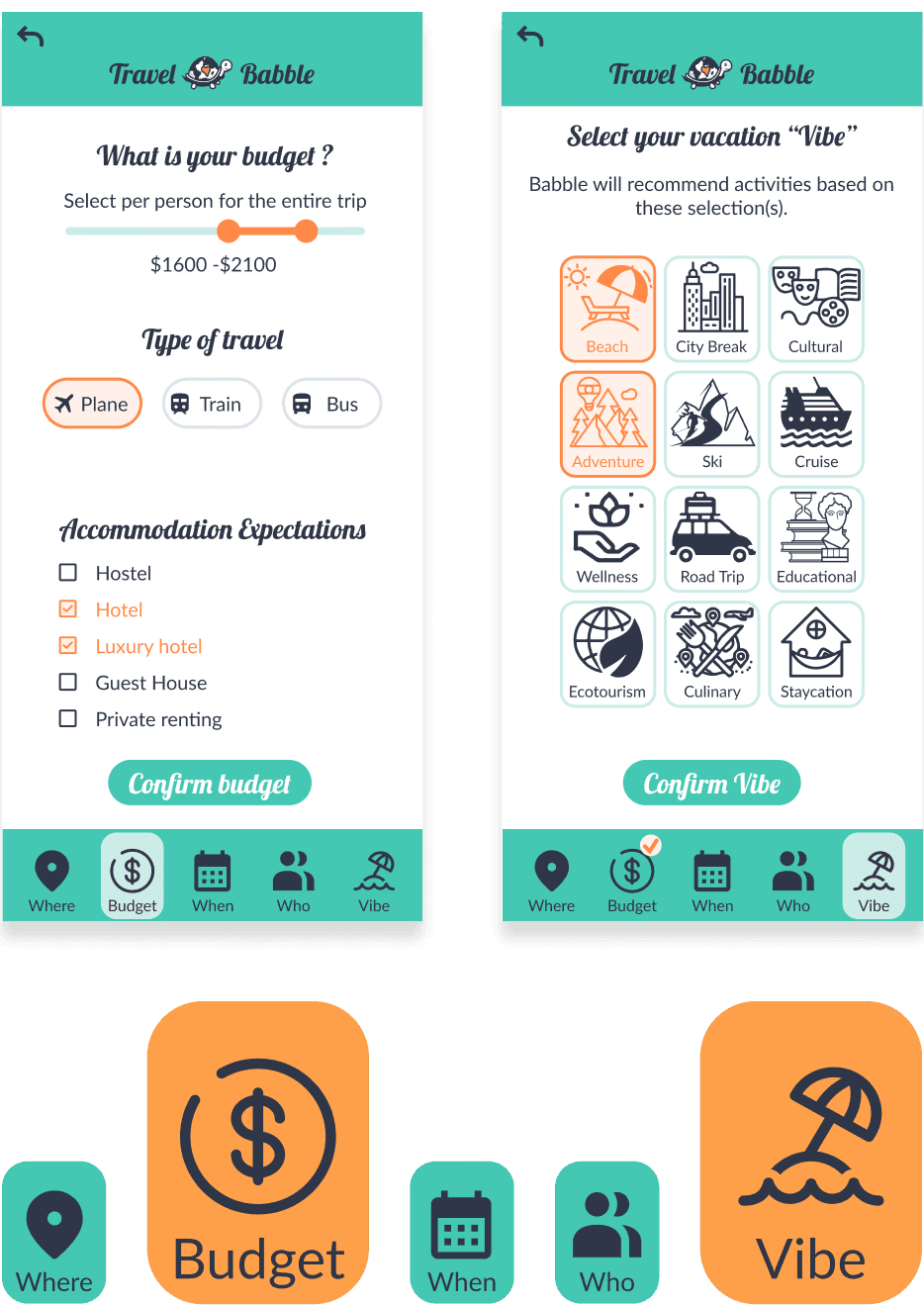
Different groups plan trips differently. Some prioritize budget, while others care more about destination, timing, activities, or accommodations. Rather than forcing users through rigid forms, Travel Babble allows them to begin with only the preferences they already know.
Solution:
Users can generate trip ideas after completing just two planning categories, helping them explore possibilities before committing to specific details. This creates a more flexible and low-pressure planning experience while keeping users in control of the decision-making process.
“I am always the organizer of trips. I always look at details like activities for kids, budgets, and accommodation expectations.”
Integrated Research While Exploring
Problem:
Trip planning often requires users to jump between multiple websites to compare destinations, budgets, activities, and logistics. Research becomes fragmented and overwhelming, especially during the early planning stages.
Solution:
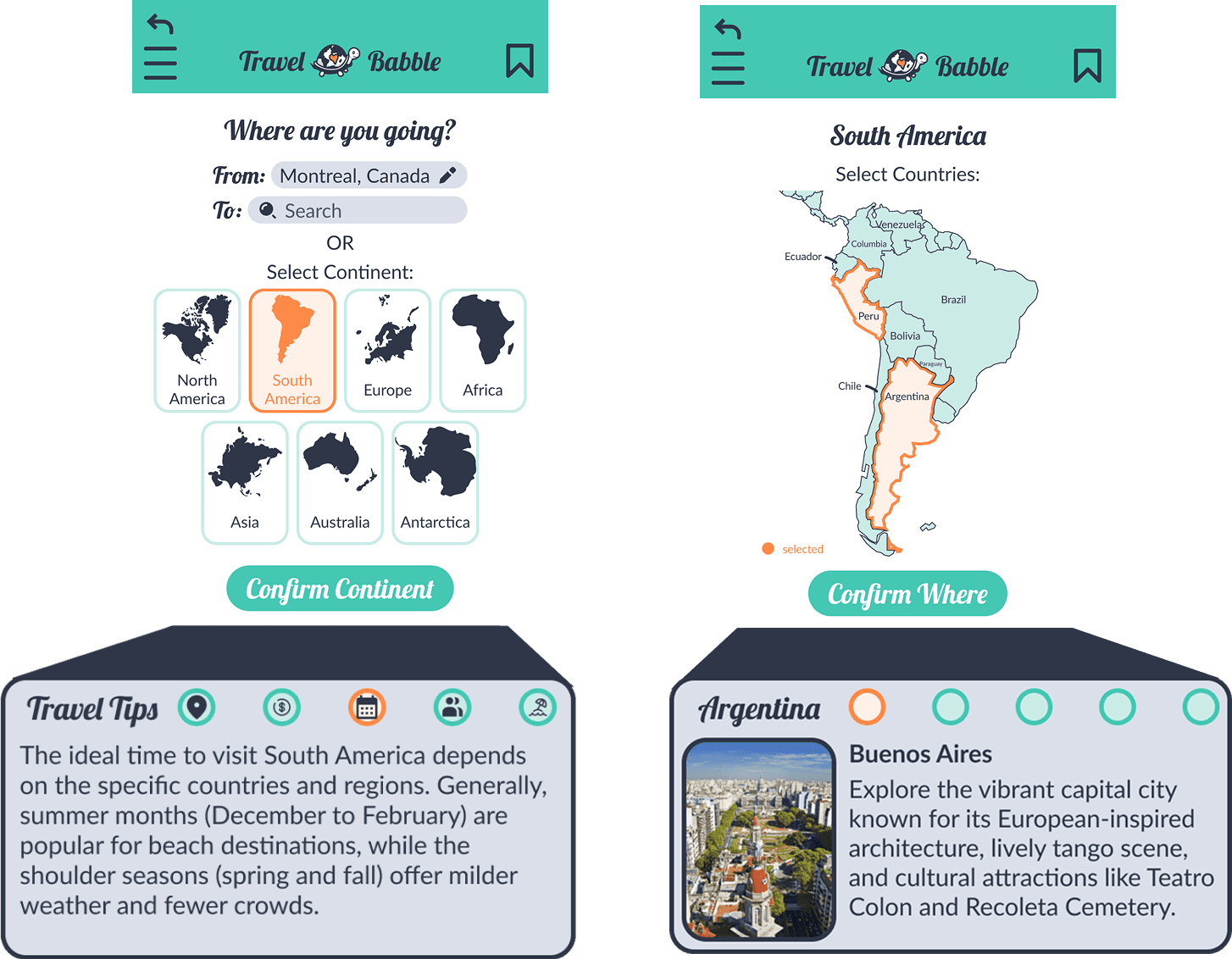
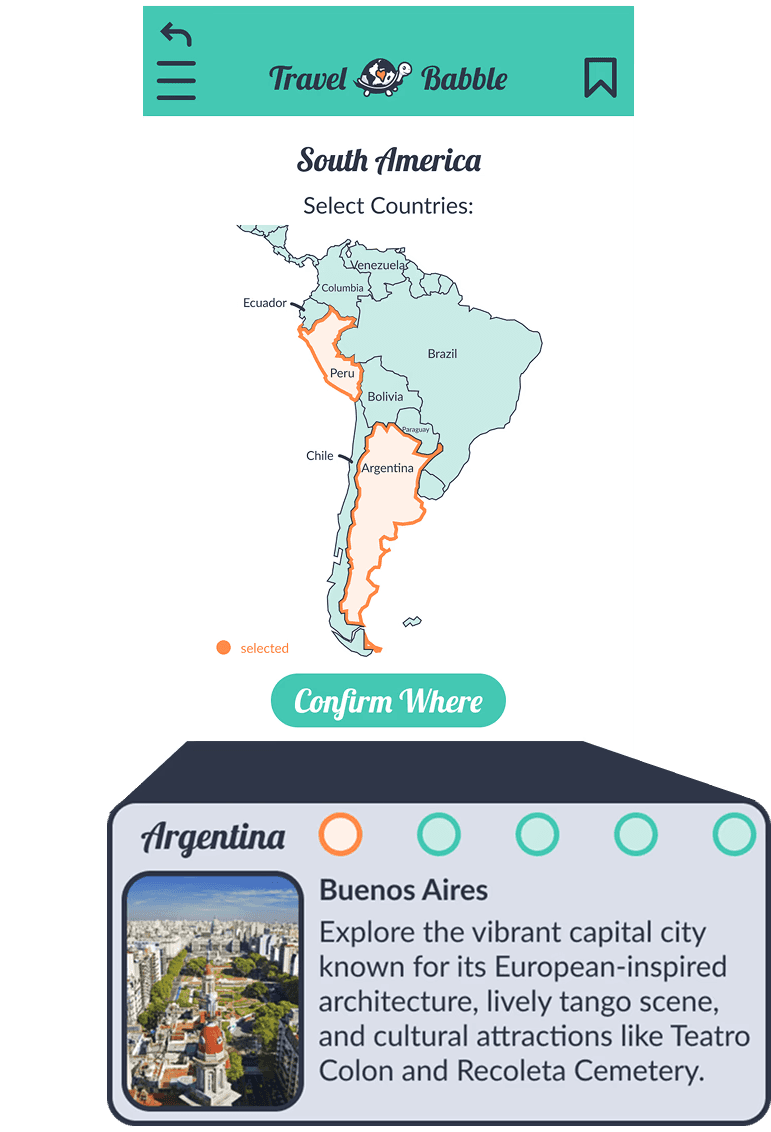
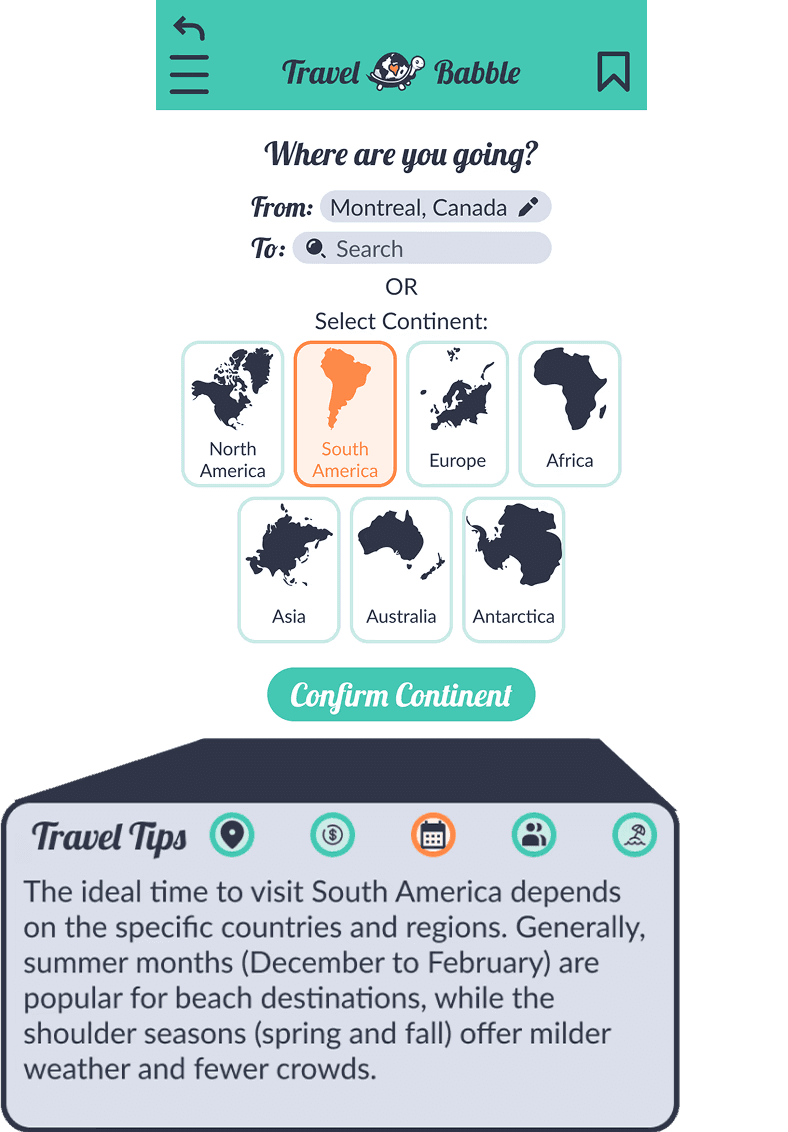
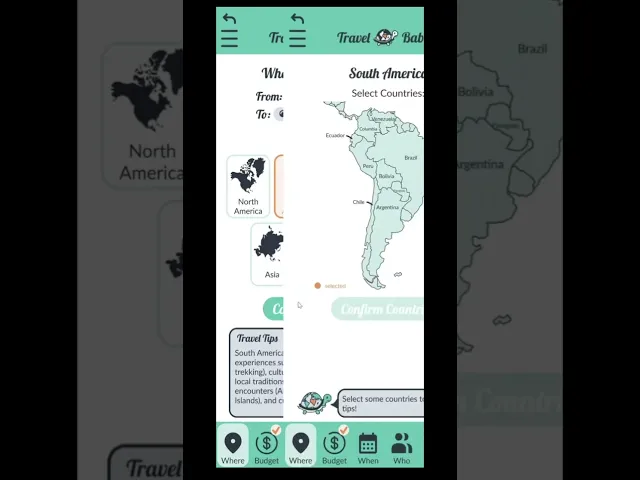
Travel Babble integrates travel inspiration and research directly into the planning experience. As users browse destinations, they receive contextual travel tips, destination highlights, and recommendations that help them refine their decisions naturally while continuing to explore.
“When I plan a trip I look at multiple factors at the same time. The process can be time consuming and annoying.”
Conversational Trip Editing
Problem:
Travel planning is highly iterative. Changes in timing, budget, or attendees can force organizers to reevaluate flights, accommodations, and activities, often requiring them to restart their research process.
Solution:
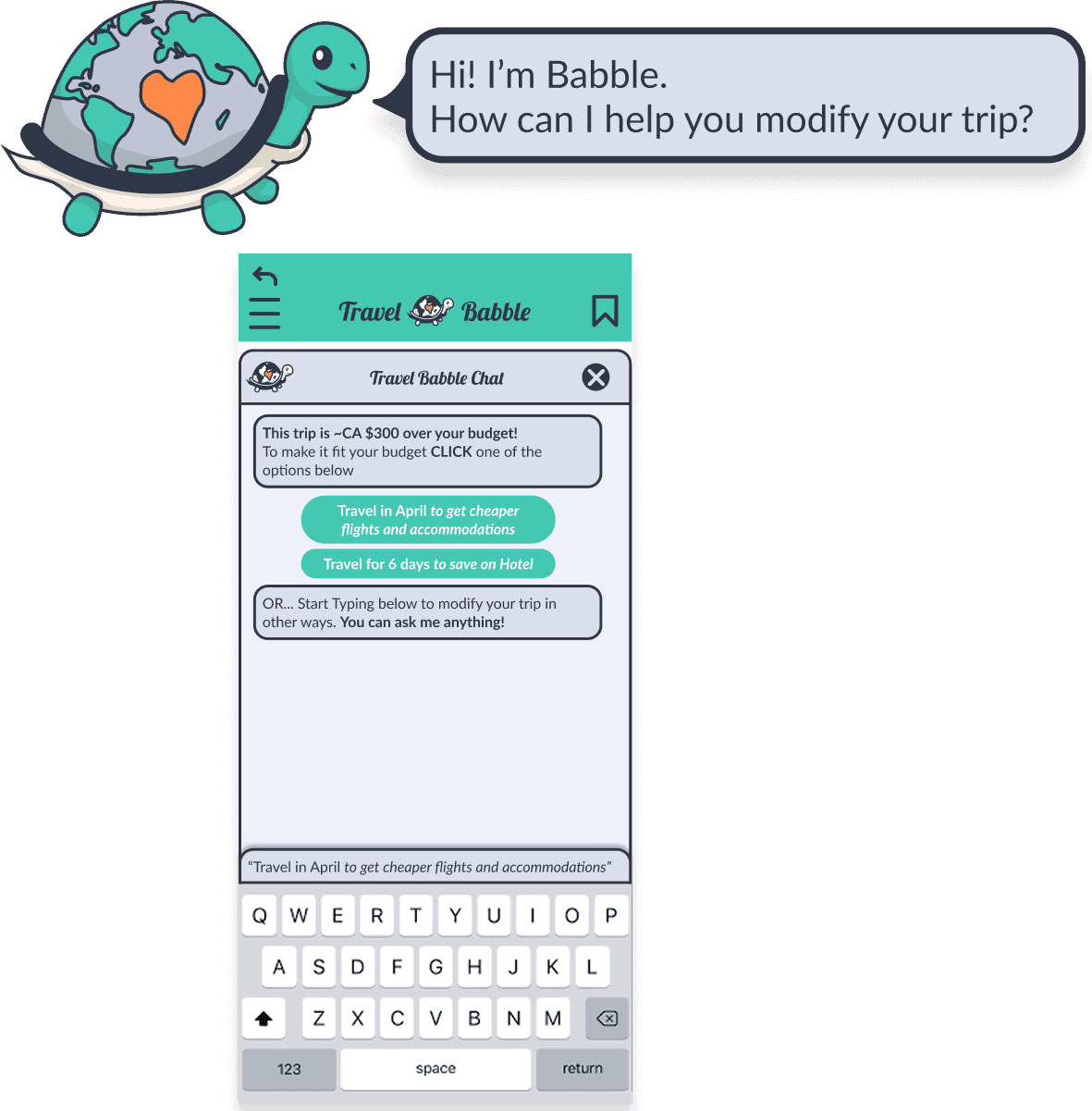
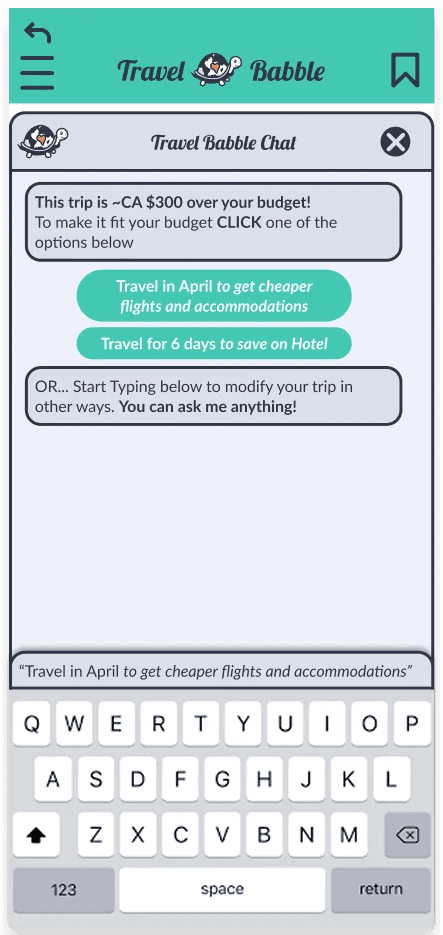
We introduced Babble, an AI-powered chat assistant that allows users to modify trips using natural language. Instead of manually rebuilding plans, users can quickly test adjustments and receive updated suggestions while maintaining the structure of the trip.
“If my boyfriend can’t get the time off work then I have to restart my research.”
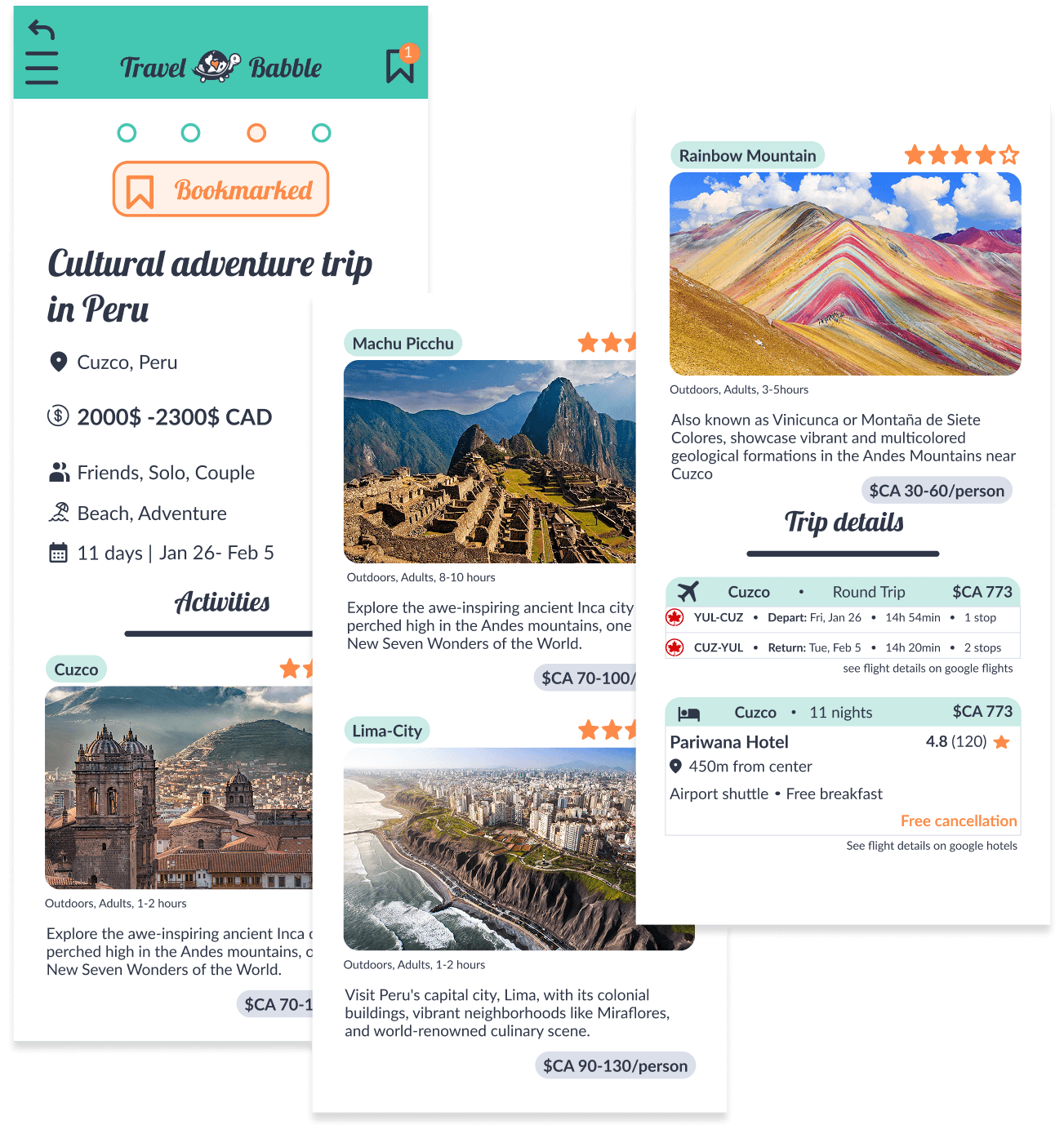
Shareable Trip Snapshots
Problem:
Organizers often conduct extensive research, but most attendees only need a clear overview before deciding whether they are interested. Existing tools make it difficult to communicate trip ideas quickly and effectively.
Solution:
Travel Babble generates lightweight trip snapshots that summarize destinations, activities, accommodations, and budget expectations. These snapshots can easily be shared with potential attendees to gather feedback and help groups align before booking.
“At the end I need to give people 2 or 3 options, but it is difficult to show them what the trip will look like.”
06
Final Prototype
Final Frames
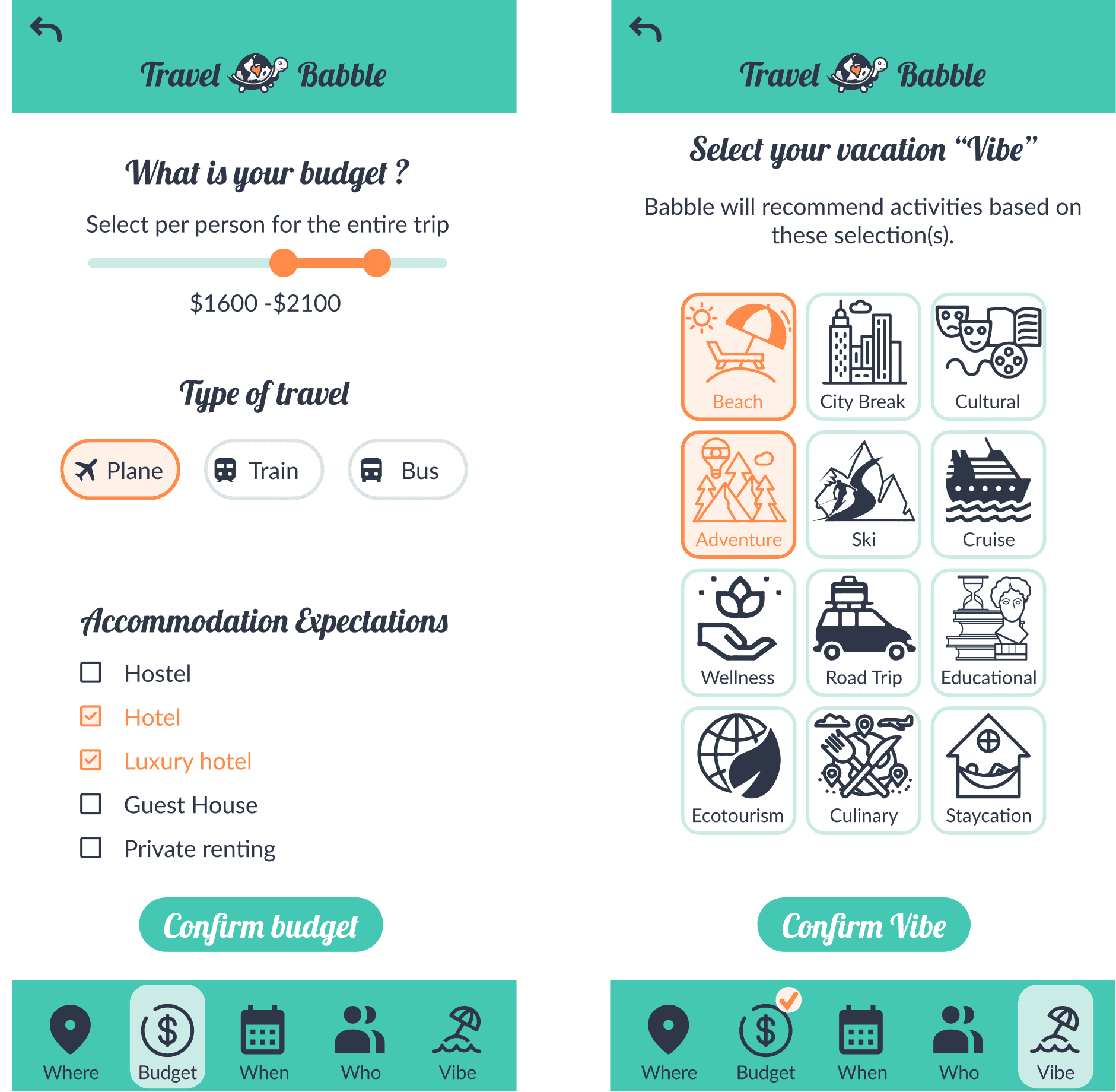
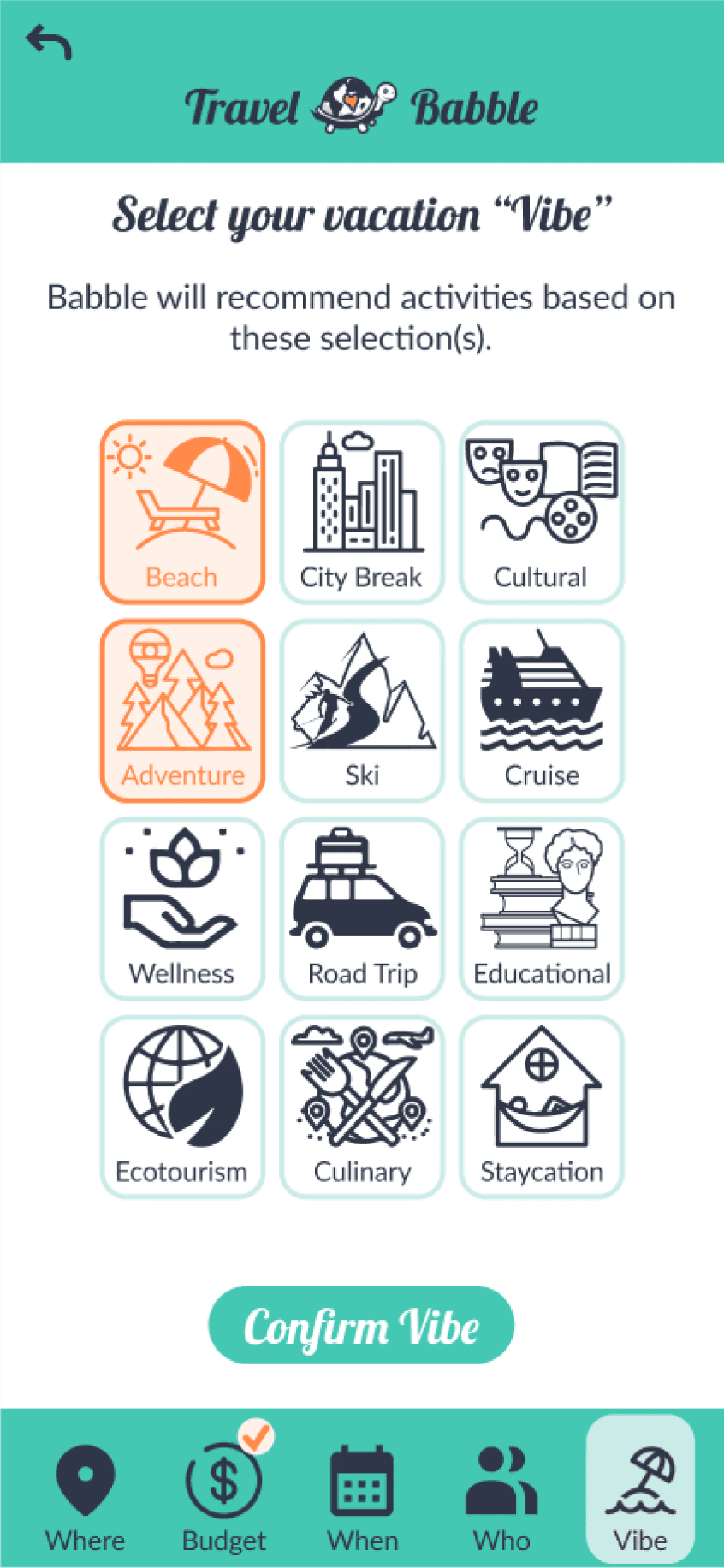
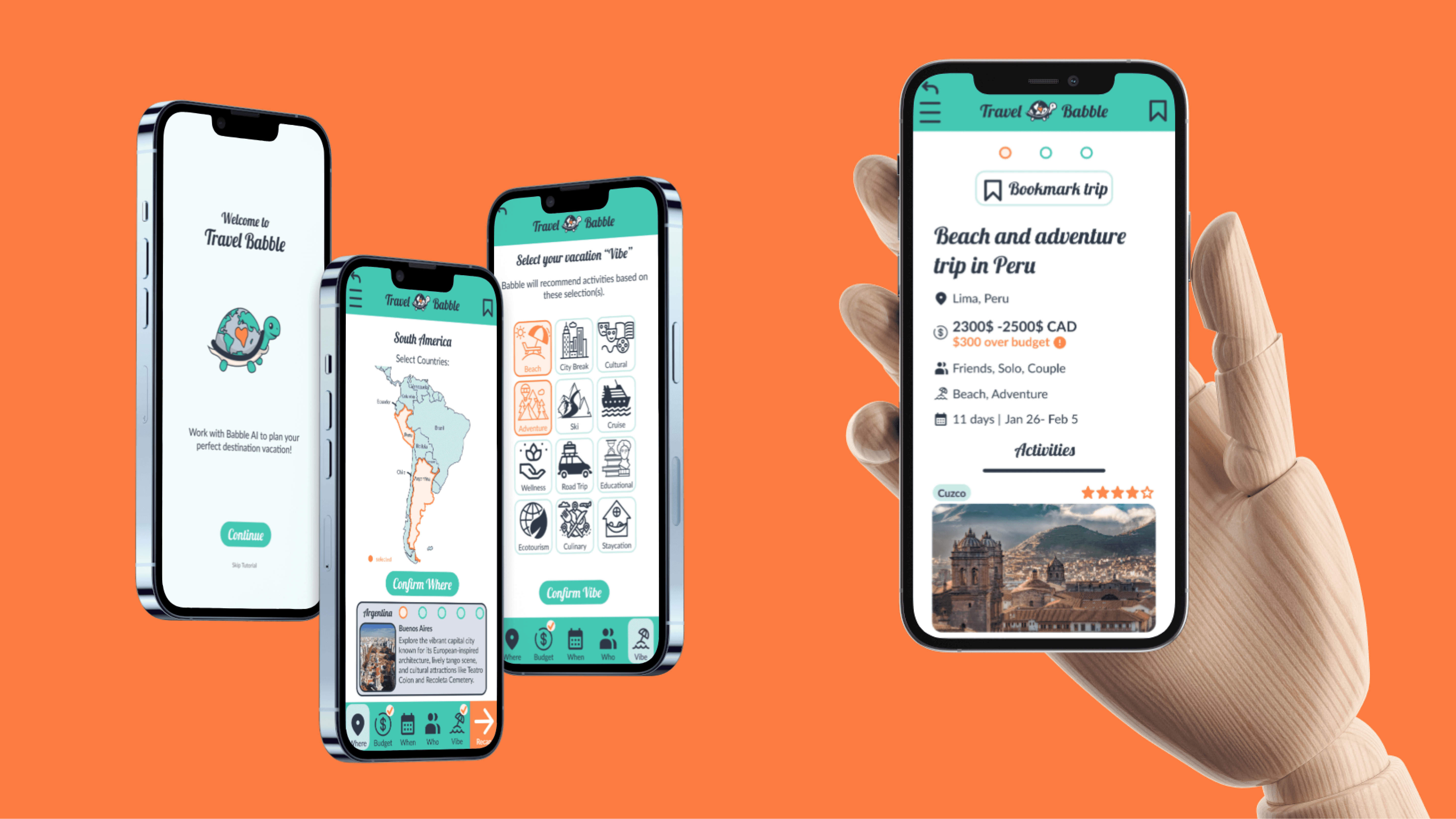
The final prototype allows users to generate personalized trip suggestions after completing at least two of the five planning categories:
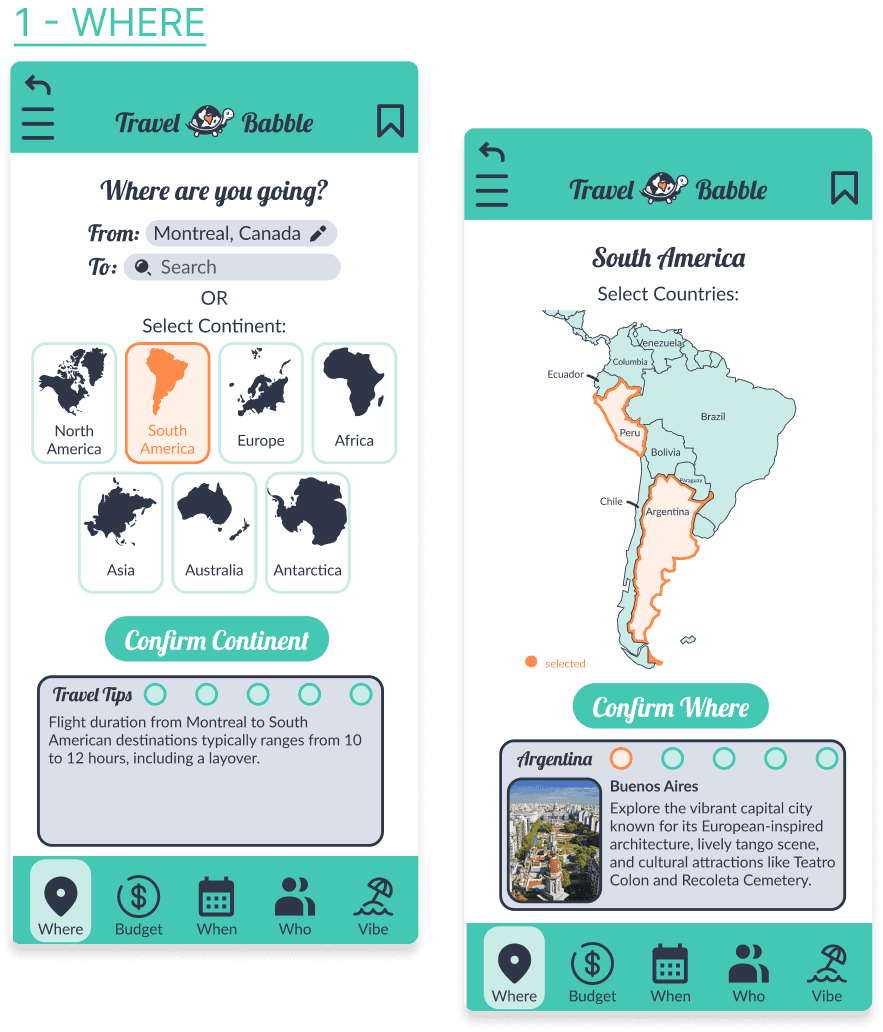
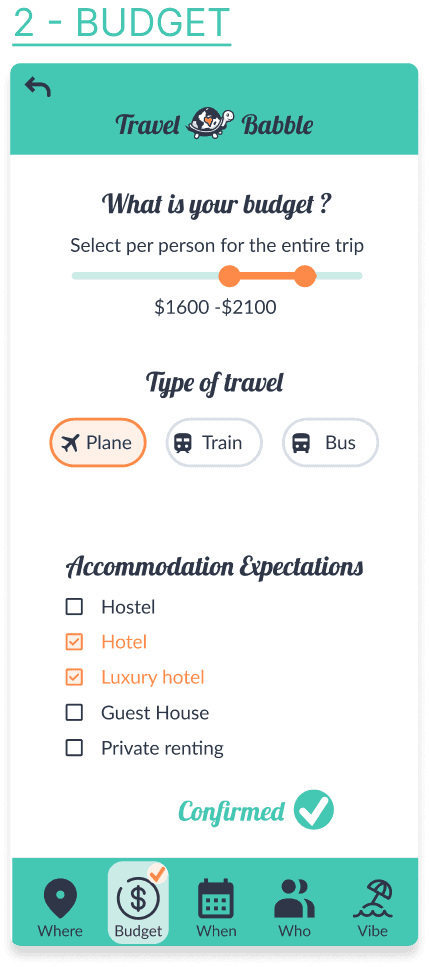
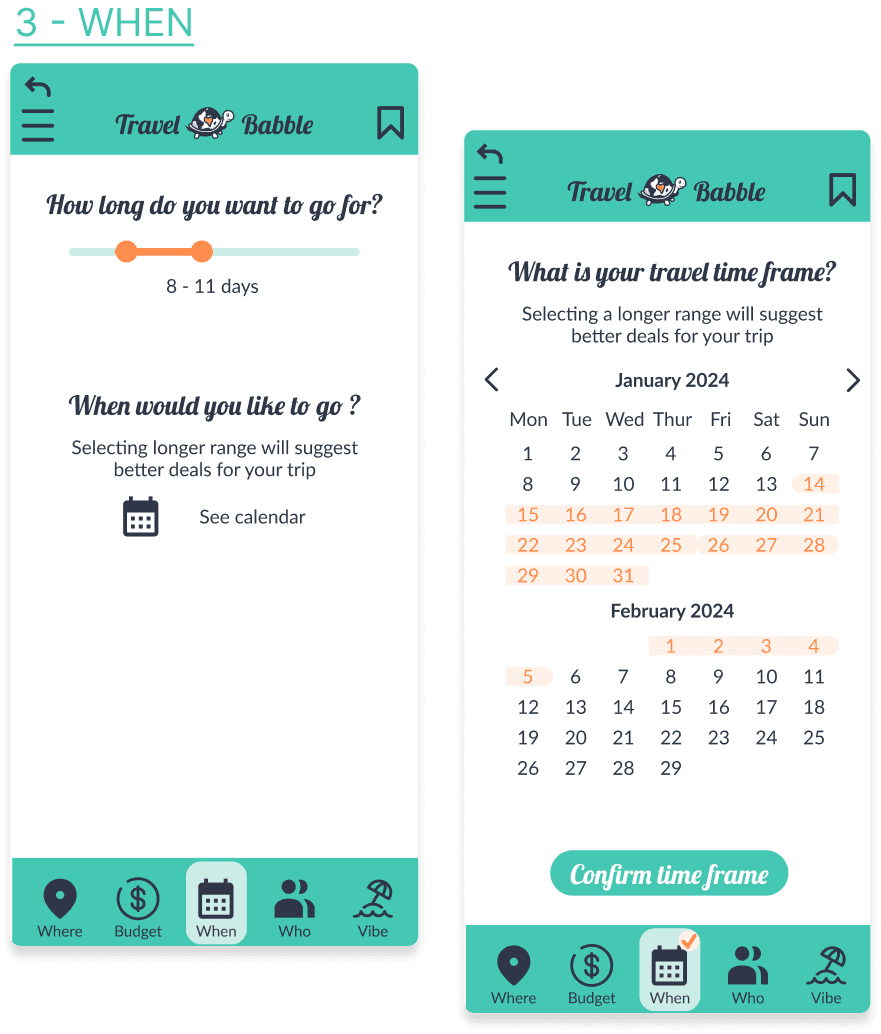
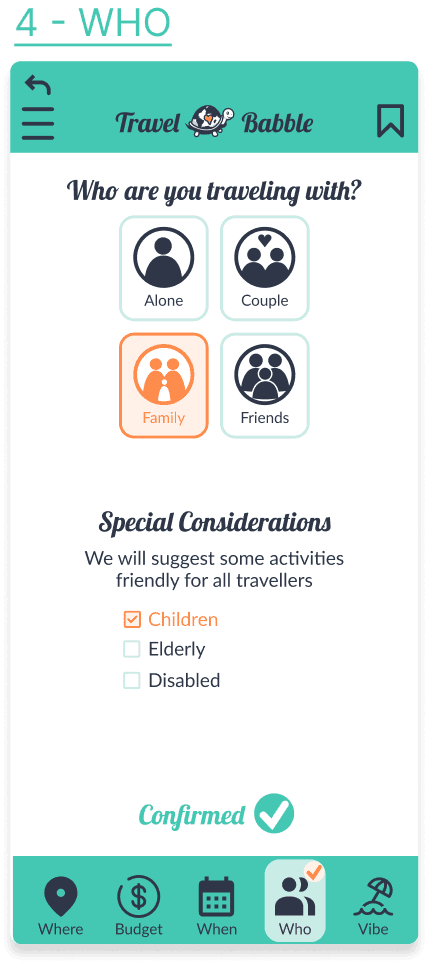
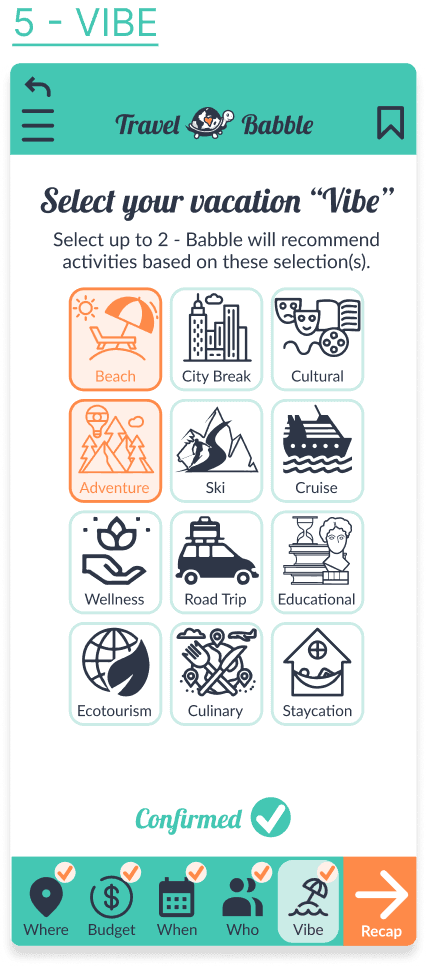
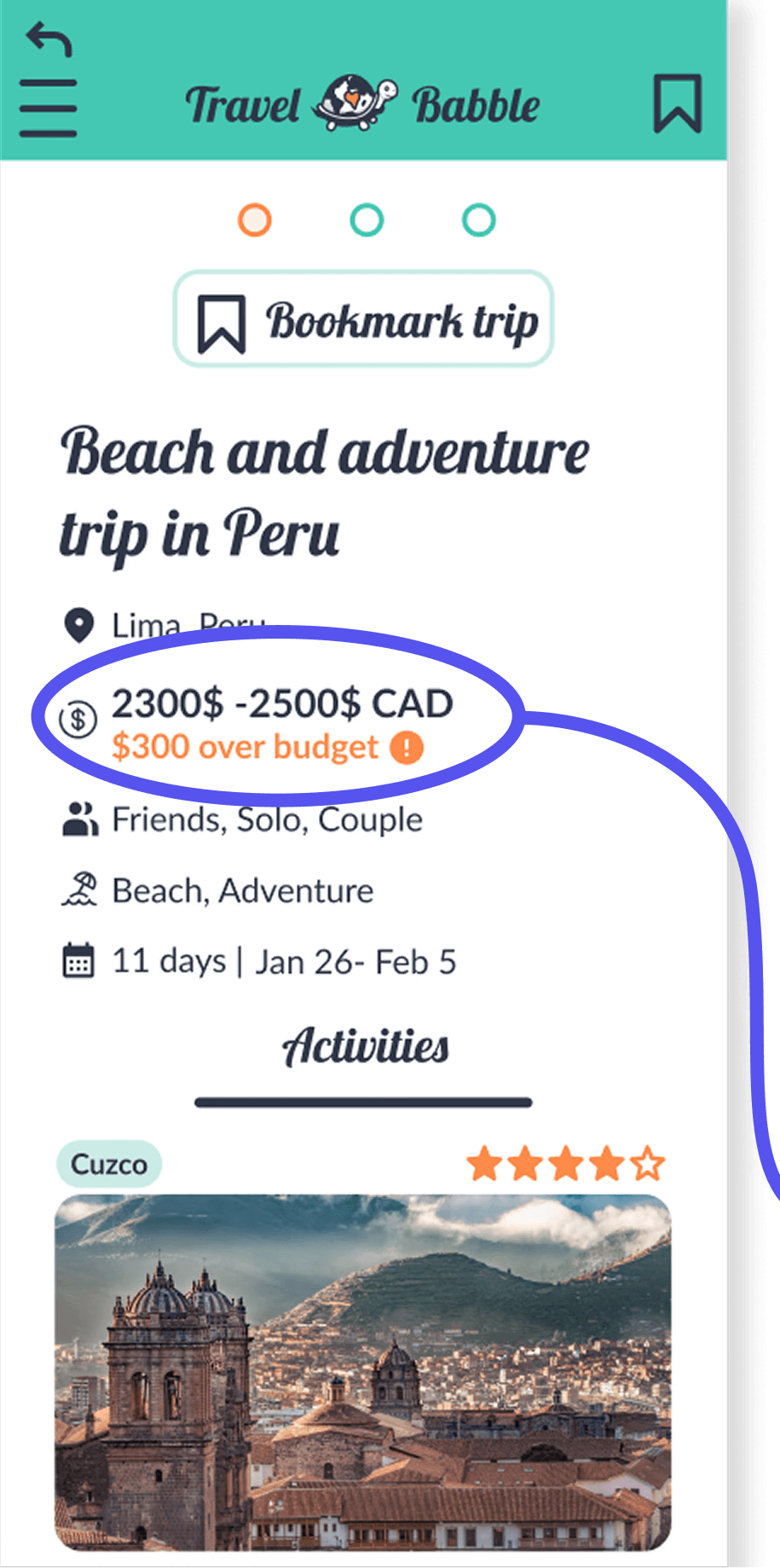
From there, users can explore AI-generated trip concepts, edit plans conversationally through Babble, and share finalized trip snapshots with potential attendees for feedback and collaboration.
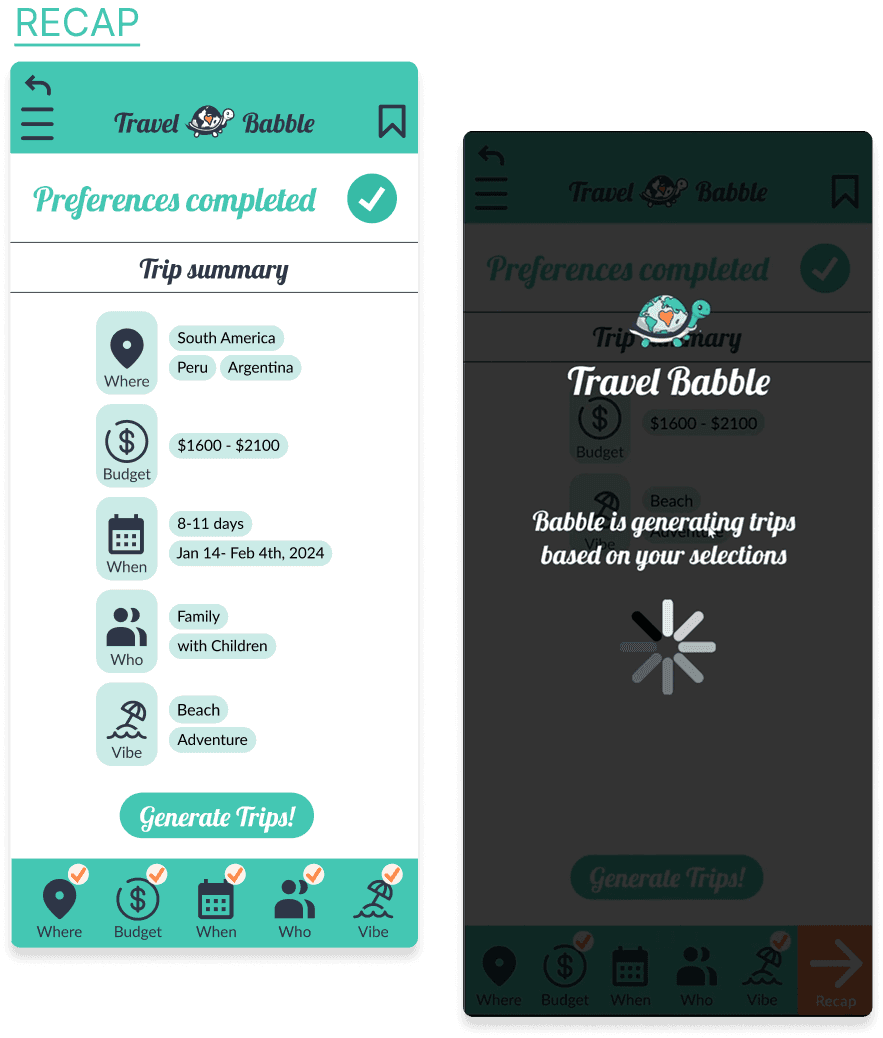
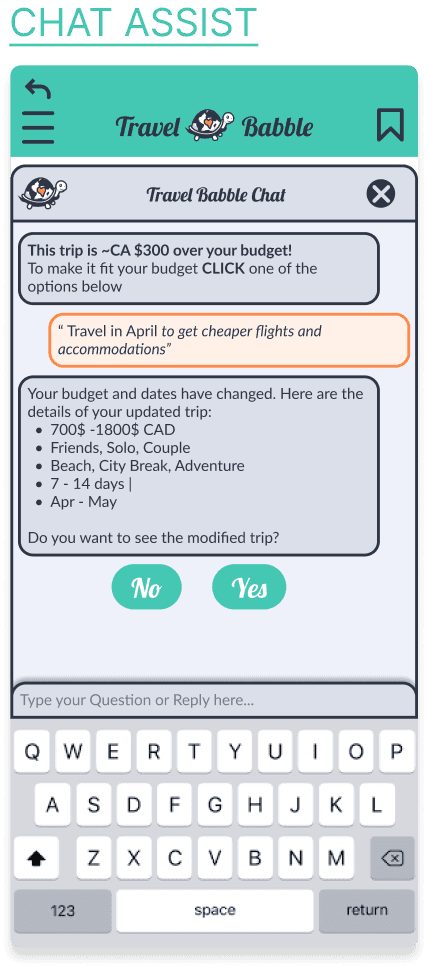
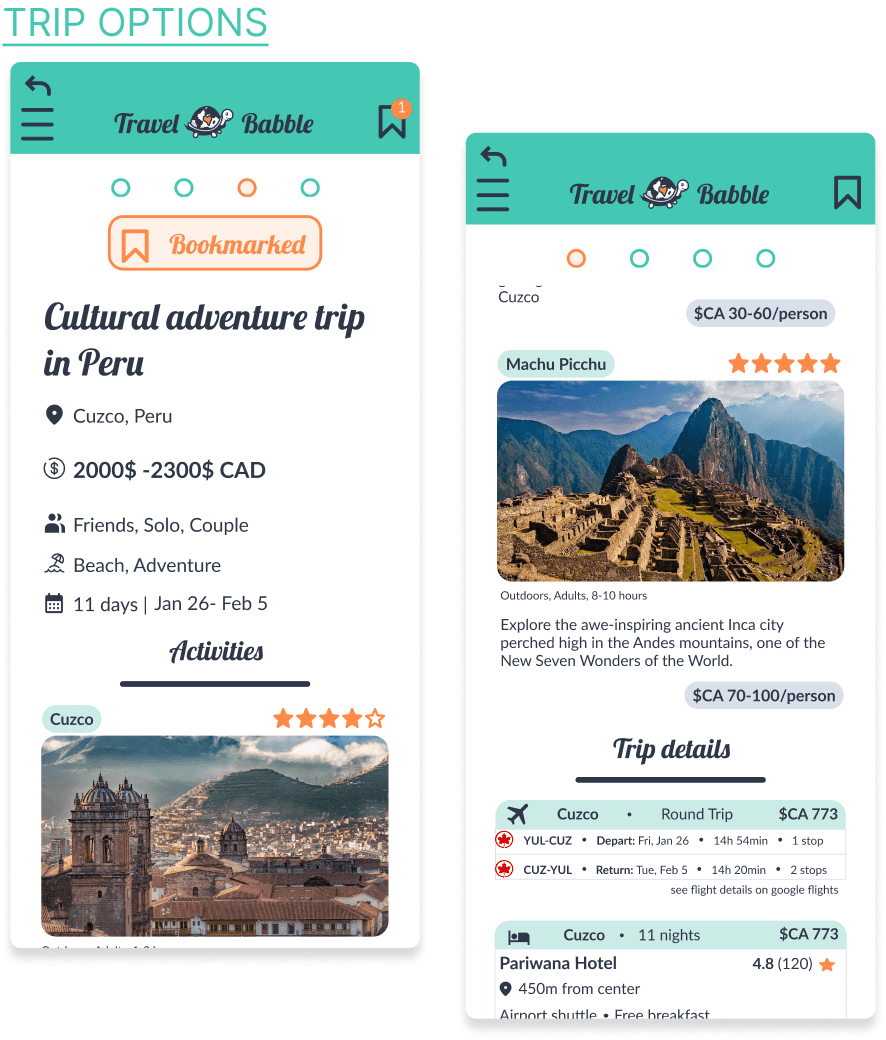
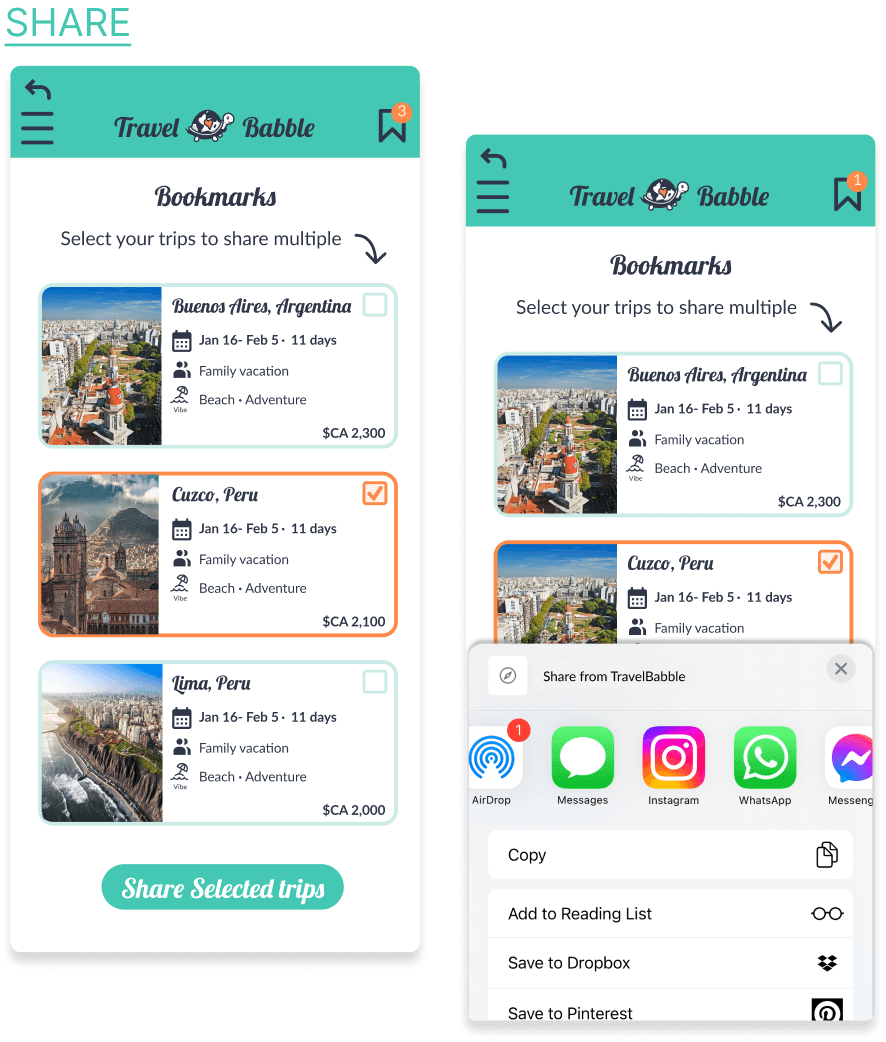
Trip suggestions include destination overviews, activity recommendations, estimated flight options, accommodations, and contextual travel insights tailored to the selected preferences.
07
Developer Handoff
To support implementation, we prepared a detailed developer handoff package that included interactive prototypes, reusable components, behavioral notes, and visual standards.

Component Library
To improve consistency and scalability, we created a reusable component library containing repeated UI patterns, icons, and button variants used throughout the experience.
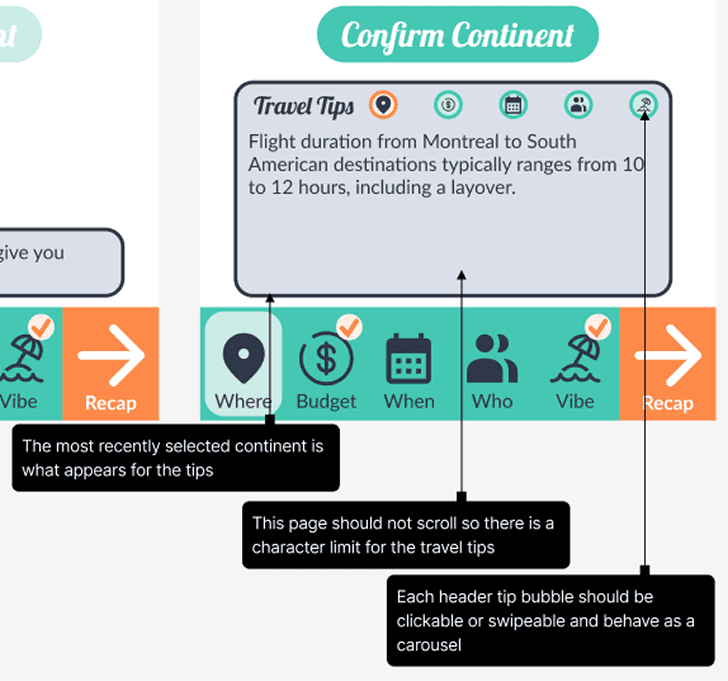
Example: Travel Tips Card
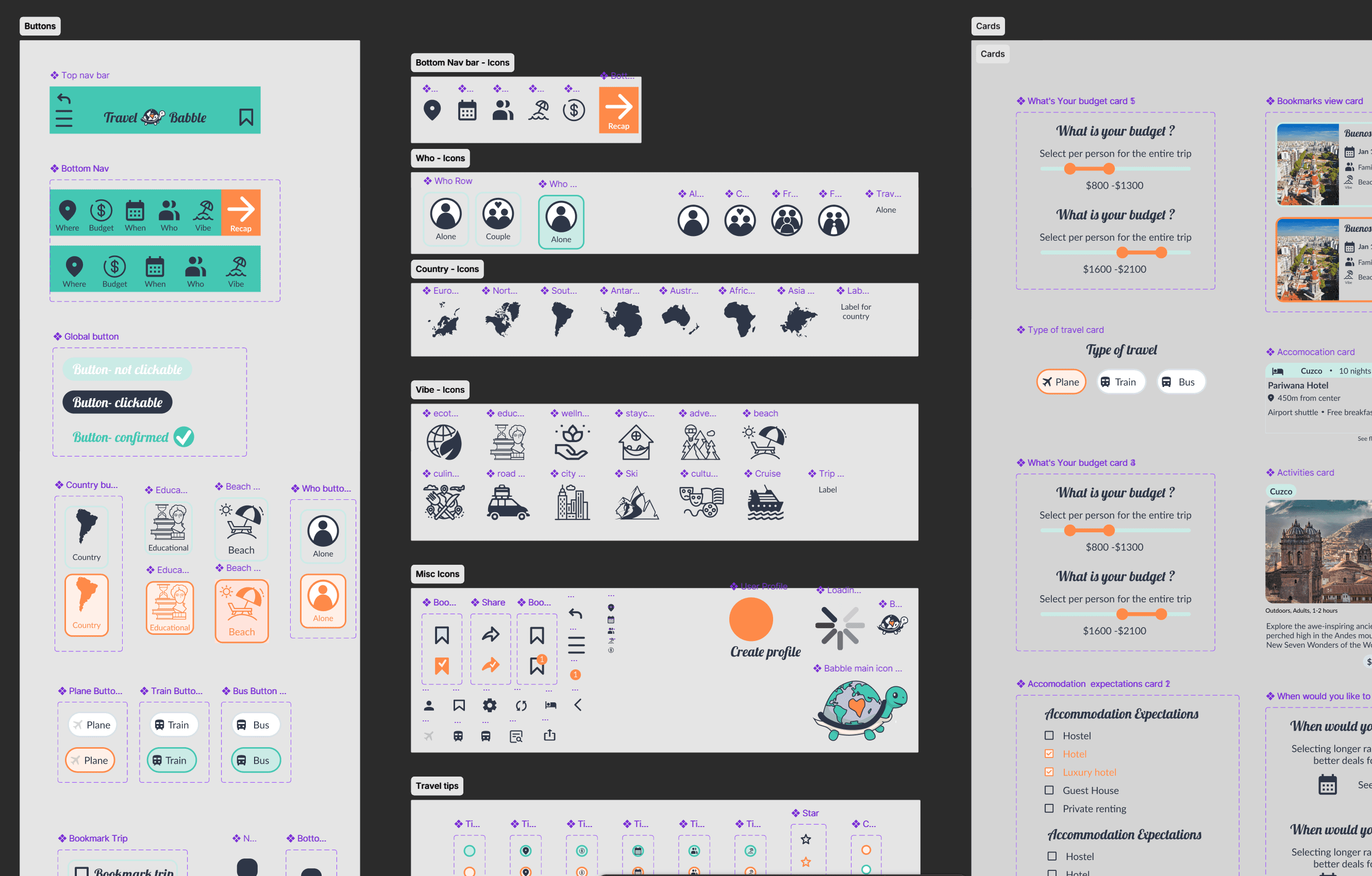
Developer Notes
We documented interactions, transitions, and expected behaviors between frames to clarify how clickable elements and dynamic states should function during implementation.
Example: Travel Tips Card interactions
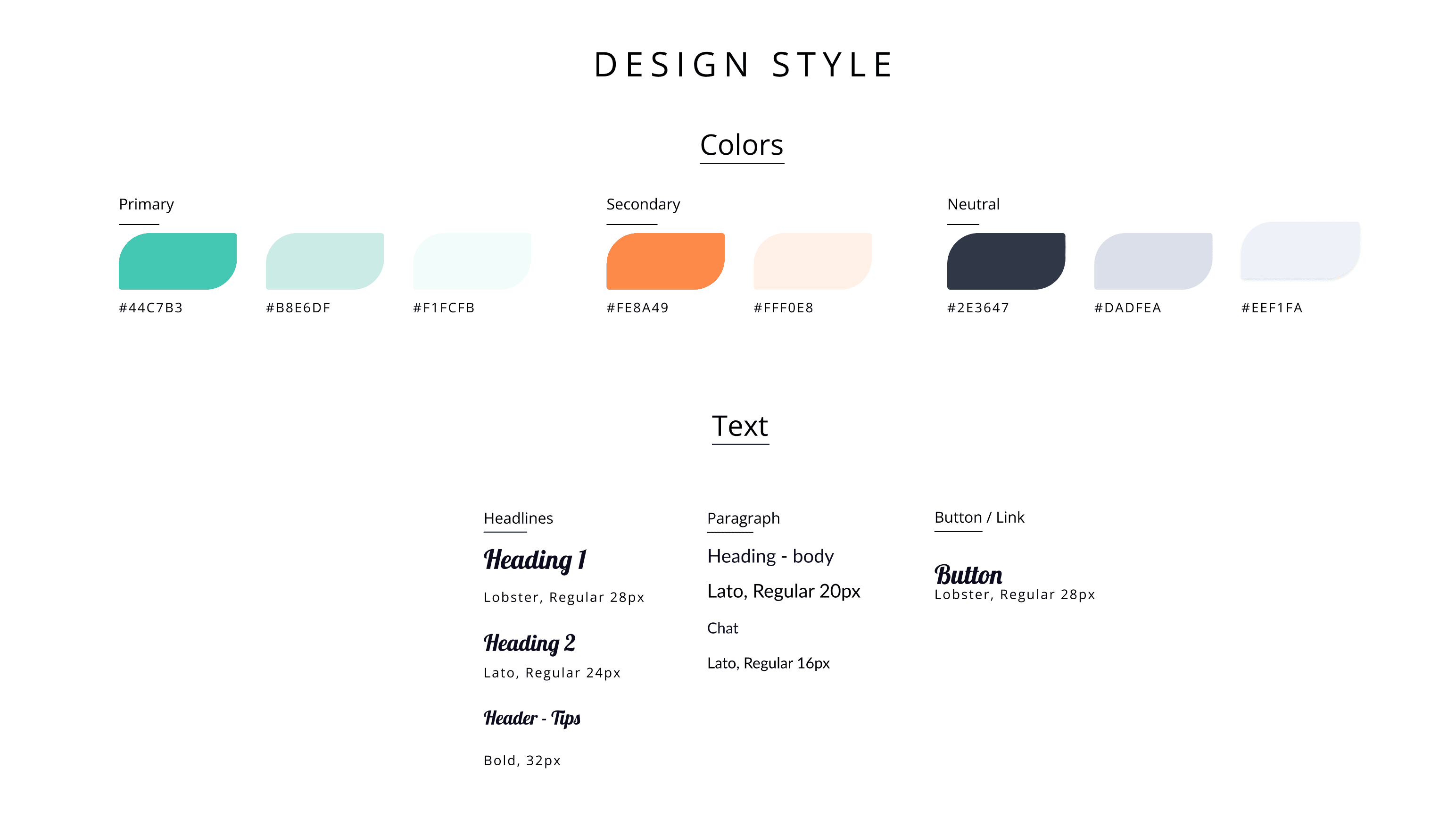
Style Guide
We also developed a style guide outlining typography, spacing, colors, and component usage standards to maintain consistency throughout development.
08
My Contributions & Reflection


Reflection
This project deepened my understanding of how emotionally and cognitively demanding travel planning can be, especially for organizers managing the expectations of multiple people at once. It reinforced the importance of designing for flexibility rather than assuming users begin with fully formed goals.
One of the biggest lessons from this project was recognizing how valuable lightweight guidance can be during onboarding. Small moments of confusion during usability testing revealed how quickly users can lose confidence if expectations and system behavior are not communicated clearly.
The project also challenged me to think critically about AI’s role within user experiences. Rather than replacing decision-making, we approached AI as a collaborative tool that supports exploration, reduces repetitive work, and helps users adapt plans more naturally.
Looking back, I think the concept could be pushed further by allowing users to control the level of planning detail based on their travel style. Some travelers may want highly structured itineraries with hour-by-hour schedules, while others may prefer a lightweight overview focused on destination ideas, budgets, and general activities. Supporting different levels of trip depth could make the experience feel even more personalized and adaptable to different types of travelers and group dynamics.
see also

Became: a visual walkthrough with live map highlighting, author credit, rating, and total time upfront.